

Prepare a game · Choose another role
As a club manager
Prepare a game as a club manager
You can see which of your own team sheets are still open and which have already been submitted.
Your next steps
Prepare your own team sheet with lineup, coaches and recorder access. Submit it for review and keep track of its registration status.
- 01
Find your own game
Open Game submissions and select your team’s game. The status shows which team sheet is still open.
- 02
Complete the team sheet
Save the lineup, add the coaches and, if needed, select a recorder from your own pool for this game.
- 03
Submit the team sheet
Check the details and submit the page. It is then locked; if it is returned, you can correct it again.
You edit your own home or away side. Submission and acceptance of the team sheet do not approve the result.
A look inside the application
The screenshots show the workflow in the team workspace with fictional demo data. Your team, available contacts and submission status depend on your workspace.
The screenshots show the team workspace. As a club manager, you find the same steps under “Game submissions” for your own teams.
The number in the screenshot matches the step. The arrow and frame show where to carry out the action.
Game submissions → Active season
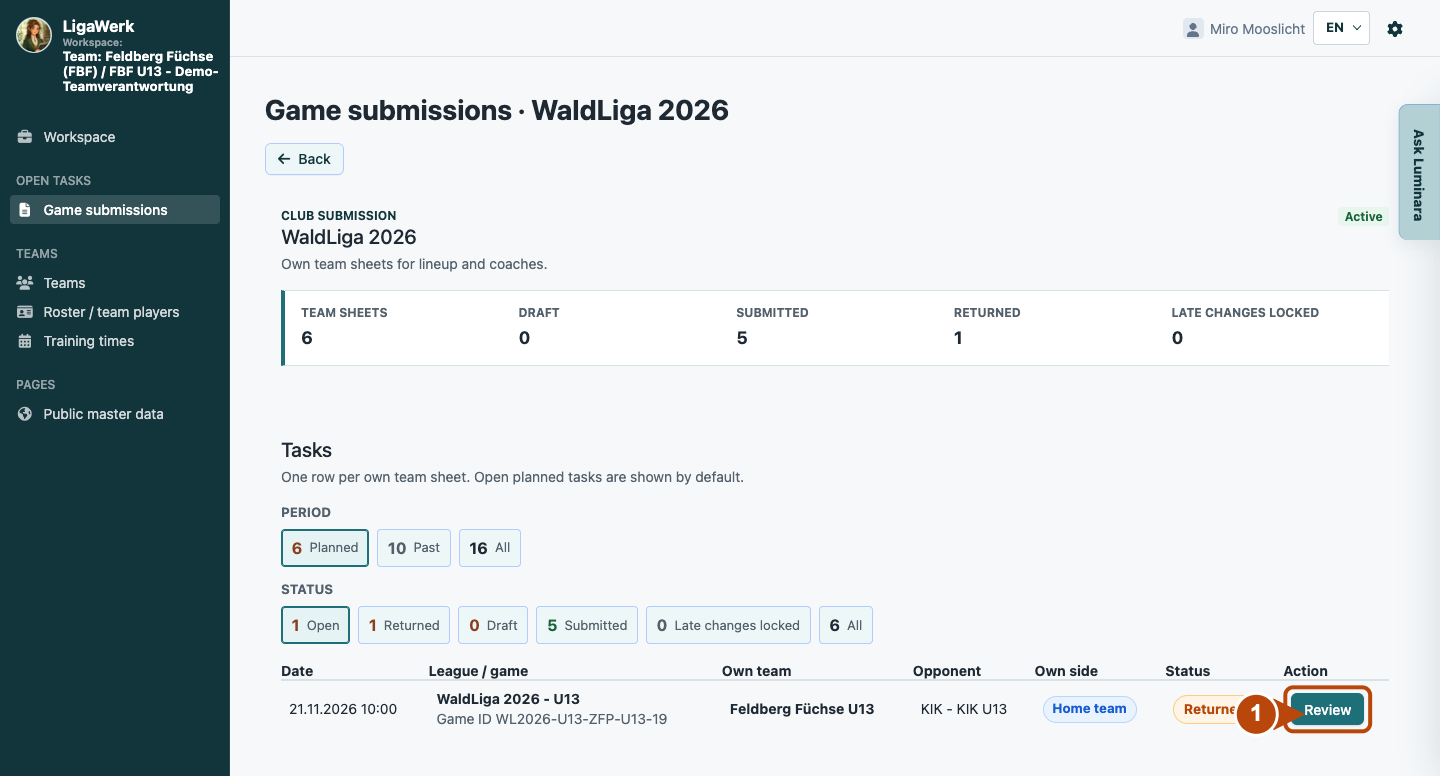
1 · Open the game
- What you do
- Find your own game by date and opponent. Click “Record” if there is no team sheet yet, or “Review” to open an existing page.
- How to recognise the result
- Your own home or away team sheet opens. The game, team and registration status are shown at the top.
The arrow points to the action that opens your own team sheet.
Your own game submission → Coaches
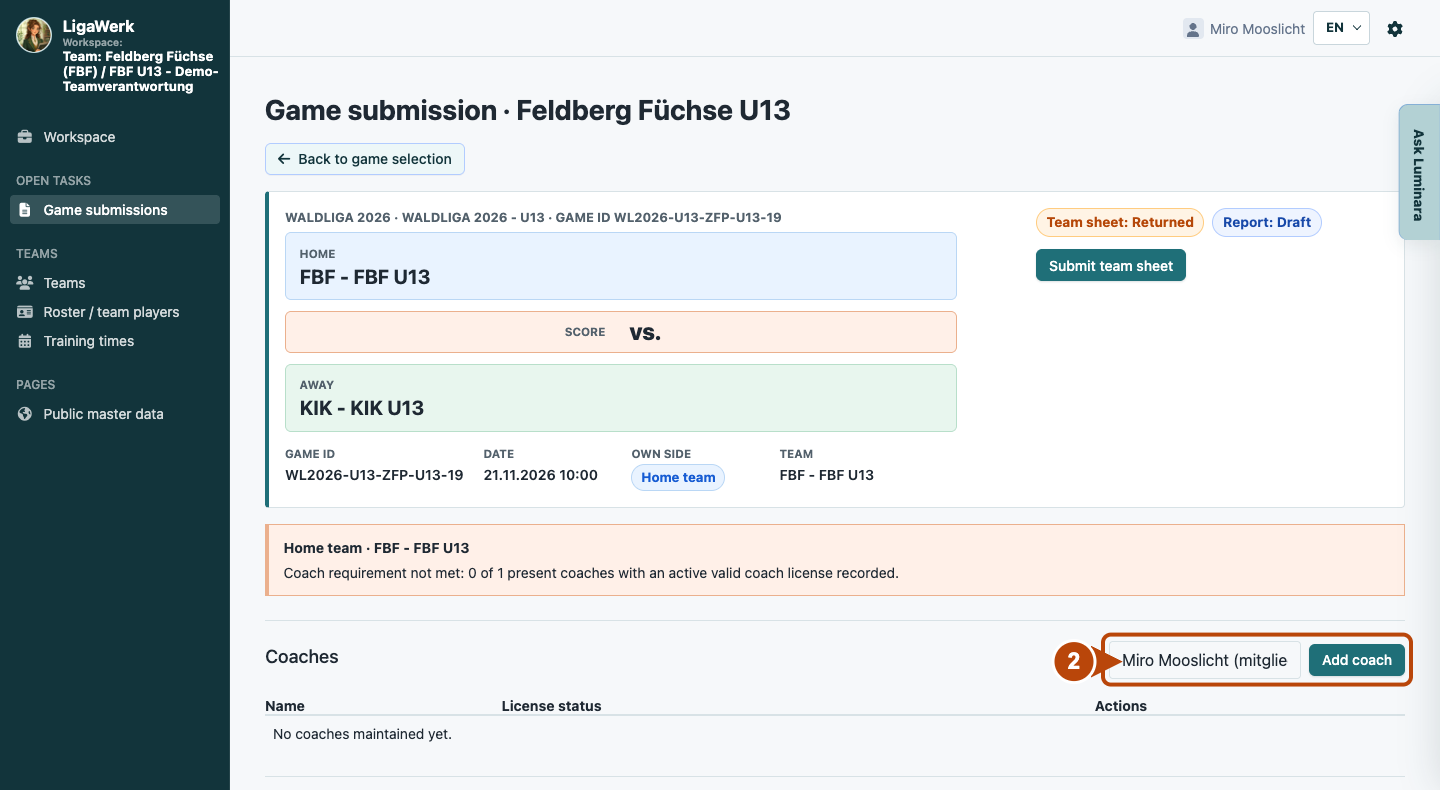
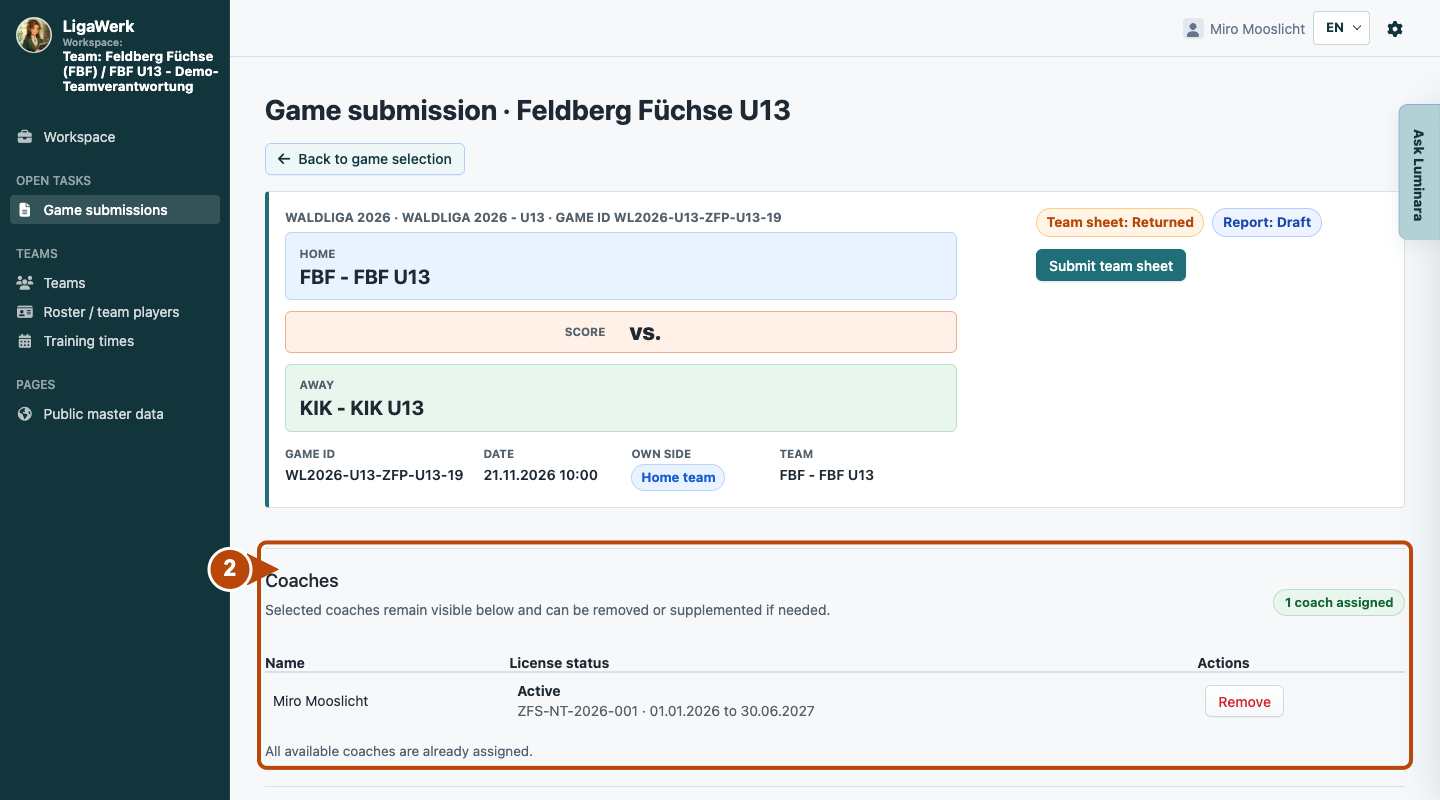
2 · Enter coaches
- What you do
- Select the coach attending from your own coach pool and click “Add coach”.
- How to recognise the result
- The coach appears in the list with their licence status. Check whether your team’s coach requirement is met.
The frame includes the selection and the add button.
View the result after adding
Your own game submission → Set game report recorder
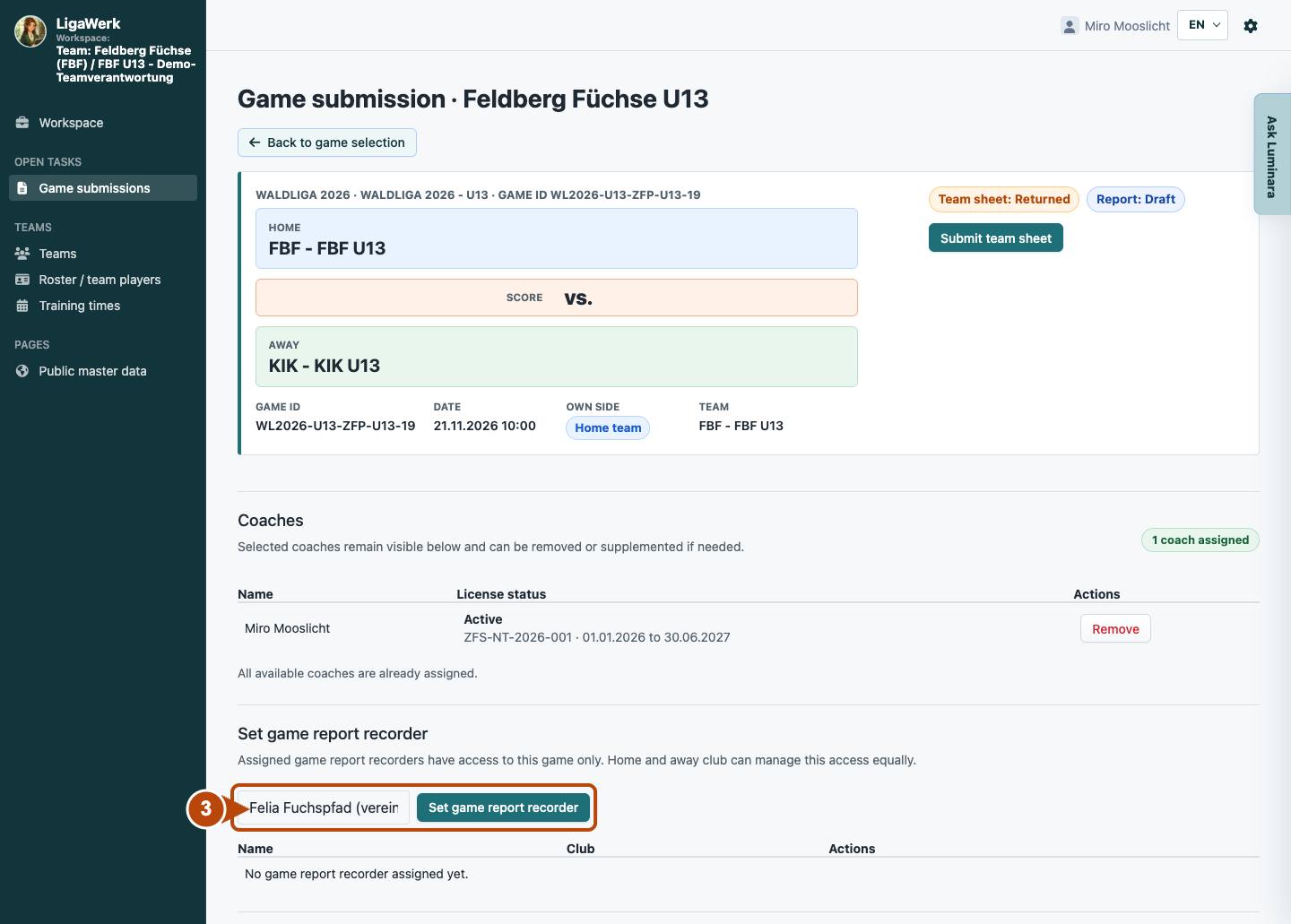
3 · Set the game report recorder
- What you do
- If the club provides the recorder, select an authorised person from your own officials pool and click “Set game report recorder”.
- How to recognise the result
- The selected person gains access to this game. An additional league assignment for a game day and venue is a separate access path.
This permission applies to the specific game; it does not grant permanent administration rights. If no person is offered, check the pool with your club managers.
Your own game submission → Team lineup
4 · Save the lineup
- What you do
- Tick the players who will play. Then click “Save lineup”.
- How to recognise the result
- The selection is transferred to the game report. The displayed player count confirms the saved state.
Ticks alone are not a saved lineup. Only the marked button applies the selection.
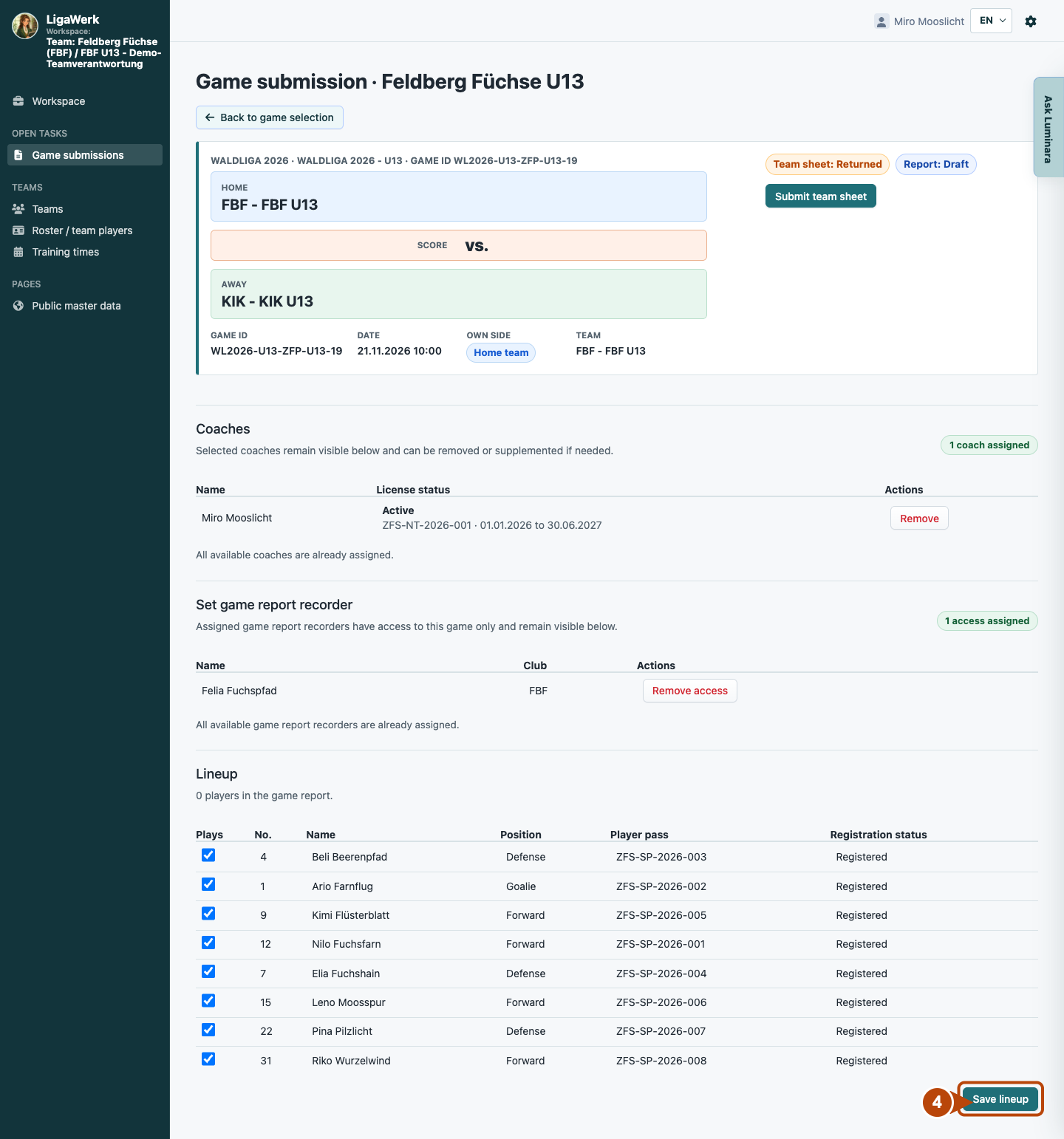
View the result after saving
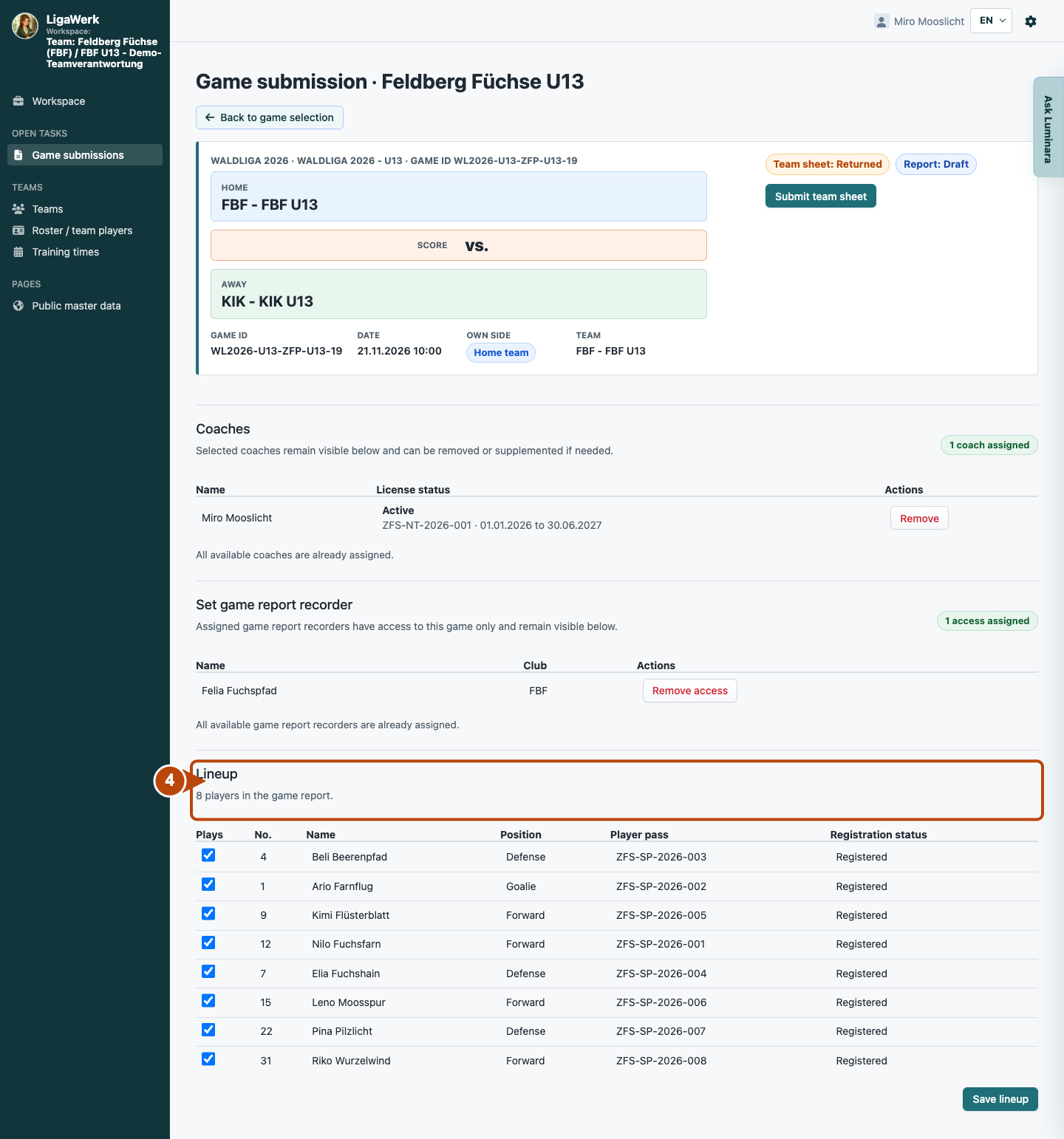
Your own game submission → Header
5 · Submit the team sheet
- What you do
- Check the game, your own side, coaches, lineup and, if needed, recorder access. Then click “Submit team sheet”.
- How to recognise the result
- Your own team sheet is handed over for further processing and locked for you.
While the page is editable, you can complete missing details. If it has already been submitted, this step is complete.
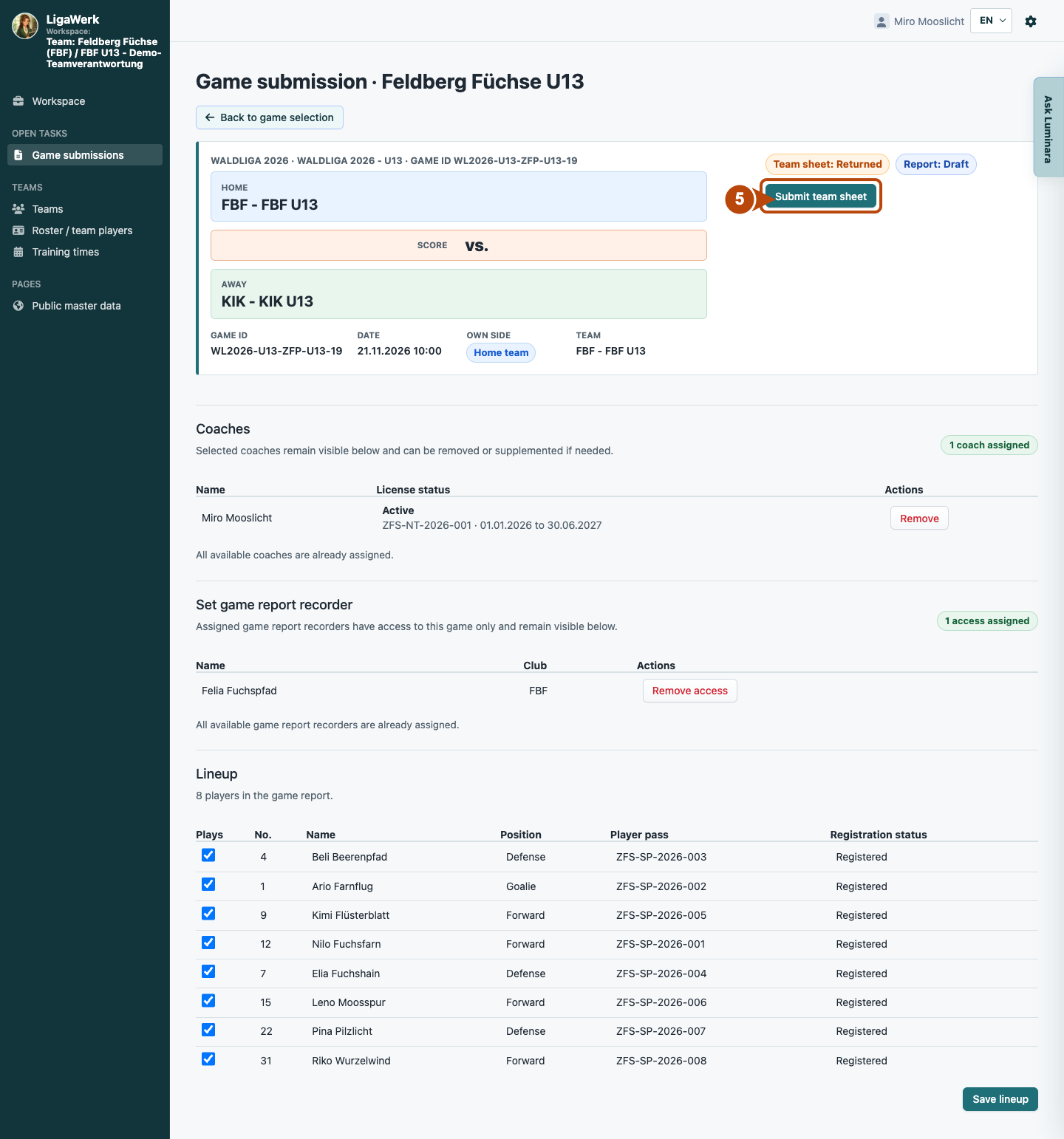
Your own game submission → Status at the top right
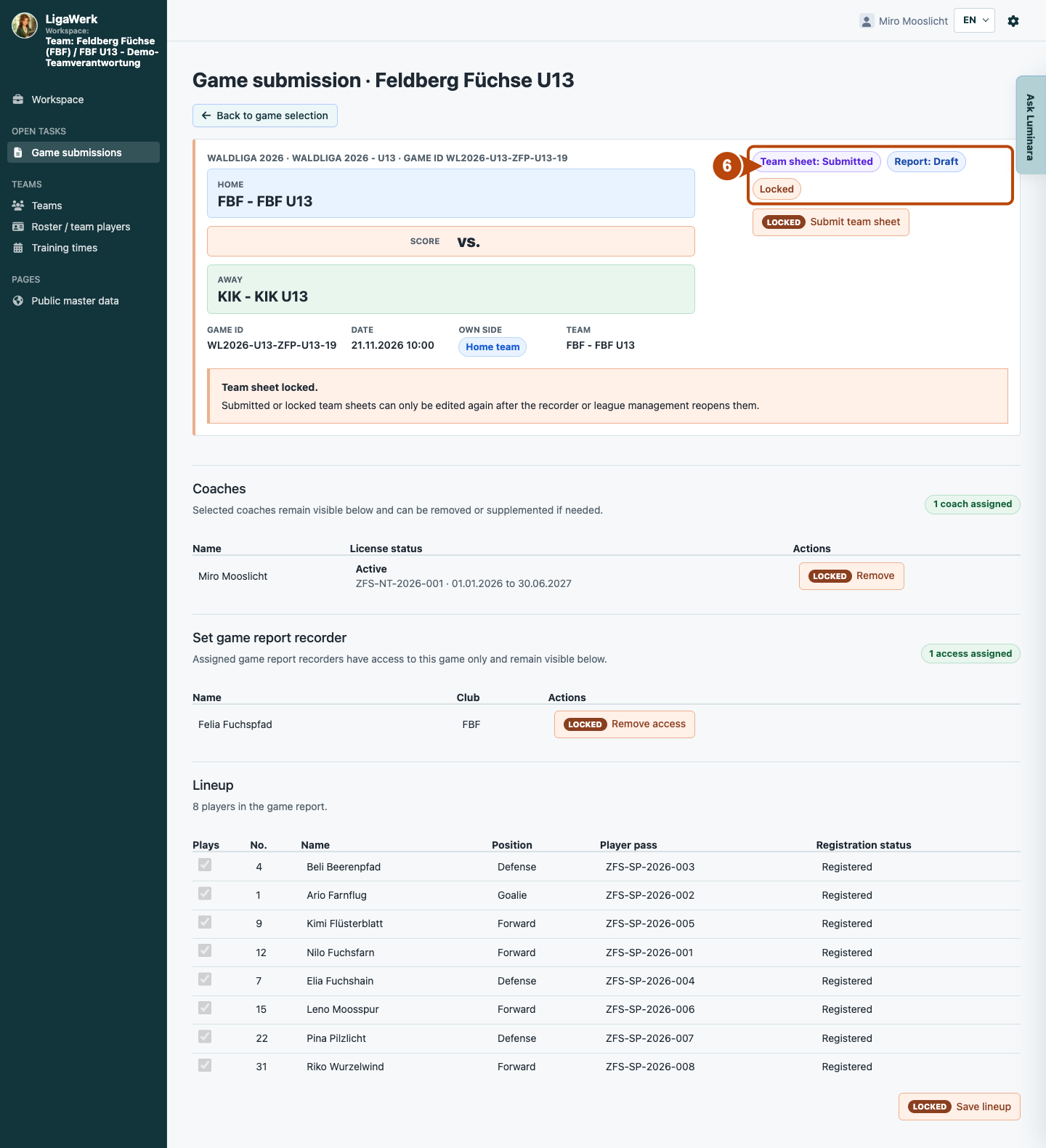
6 · Recognise the submission
- What you do
- Check the team-sheet status. “Submitted” and “Locked” show that your details have been handed over and can no longer be edited.
- How to recognise the result
- Your preparation is submitted. The game report and later result approval are not complete yet.
Team-page status and report status are shown separately. A correction is possible only after the page is returned or reopened.
How to start in the demo
Club manager · You start directly in Game submissions for the selected club. The active season is selected. Open an editable team sheet.
The demo opens a new tab, signed in to the matching workspace. This explanation stays open.