

Prepare a game · Choose another role
As a referee
Prepare a game as a referee
You see where you are assigned and give the assignment team a clear planning signal.
Your next steps
Find your assigned games, check your referee slot and report your availability for the game day and venue.
- 01
Read your own assignment
In My assignments, check the game day, venue, matchup, time and your referee slot. Planned shows upcoming assignments; All helps you find past games.
- 02
Open availability
Open Referee availability, select the season and your own person. Find the game day and matching venue you need.
- 03
Save your response
Select your availability status, add a note if needed and save. The response applies to the date and venue; it does not change a specific assignment.
Availability is not an assignment. You maintain your own response; team sheets, other people’s assignments and final result approval are separate tasks. Referee review is available only later in the report process.
A look inside the application
The images show your personal referee overview and then your own availability in the same workspace. The example is a past assignment; select the game day you need in the application. The existing status remains unchanged throughout the images — no new save is shown.
The number in the screenshot matches the step. The arrow and frame show where to carry out the action.
Referee / Official / Recorder → My assignments
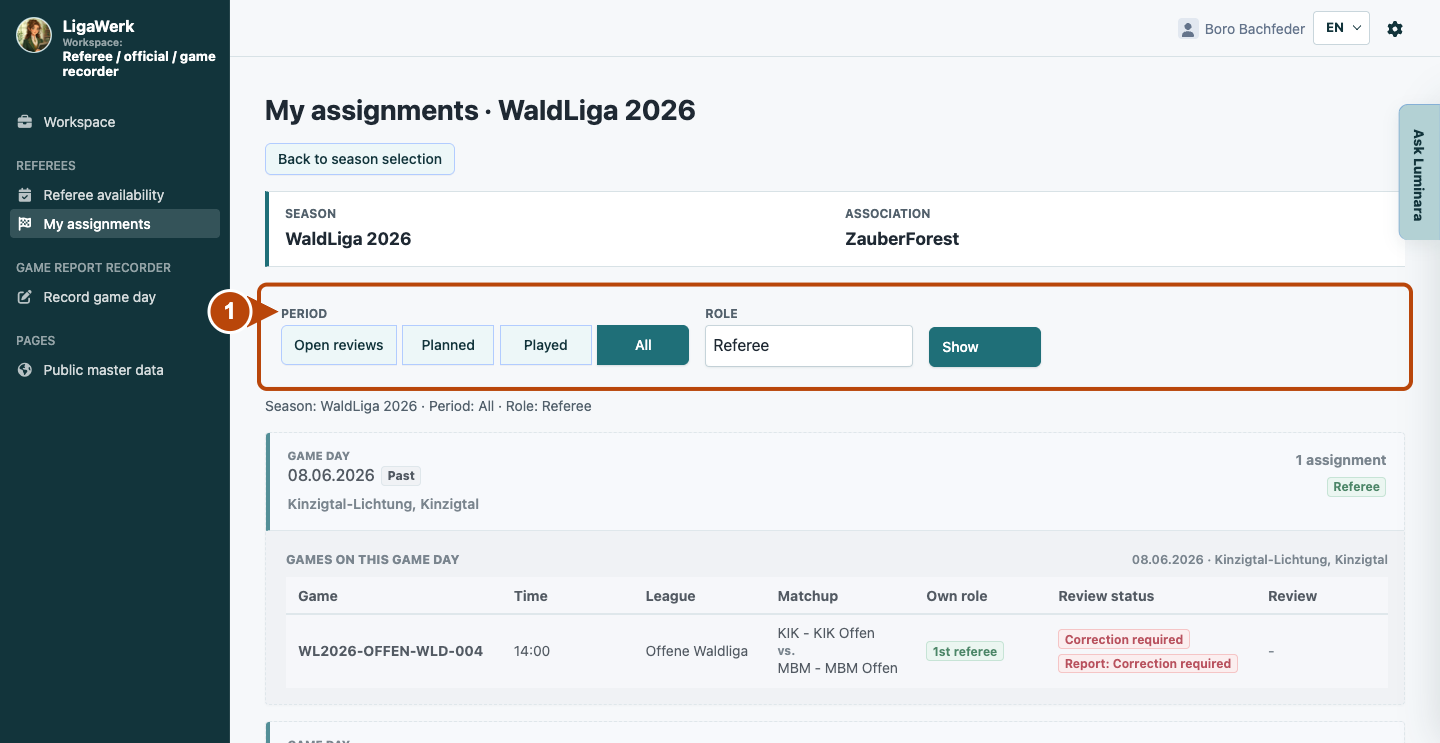
1 · Filter your assignments
- What you do
- Check the season. Select “Planned” for upcoming assignments or “All” to include past games. Select the “Referee” role if needed and click “Show”.
- How to recognise the result
- The summary below the filters names the season, time range and role. Your matching assignments appear below.
The frame shows the filters. An empty Planned list does not mean that you have no past assignments.
My assignments → Game day and games on this game day
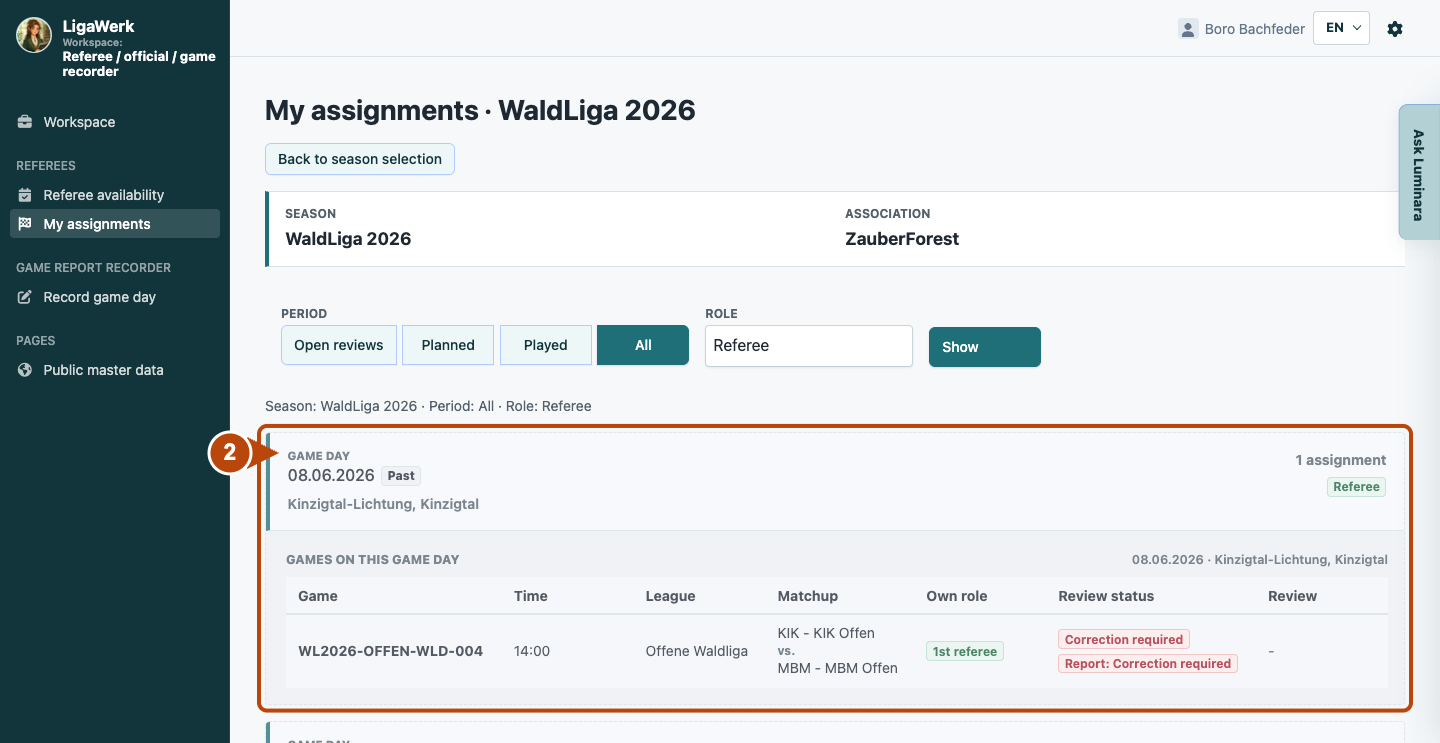
2 · Read the game and referee slot
- What you do
- Find your game by game day, venue and matchup. Read the time and your referee slot under “Own role”. Clarify outstanding organisational questions with the assignment team.
- How to recognise the result
- You can identify the game and referee function assigned to you. “Past” identifies an earlier assignment.
The frame connects the game day with the specific game row. Review status belongs to the later report process; it is not a new assignment.
Referee availability → Season → Own person
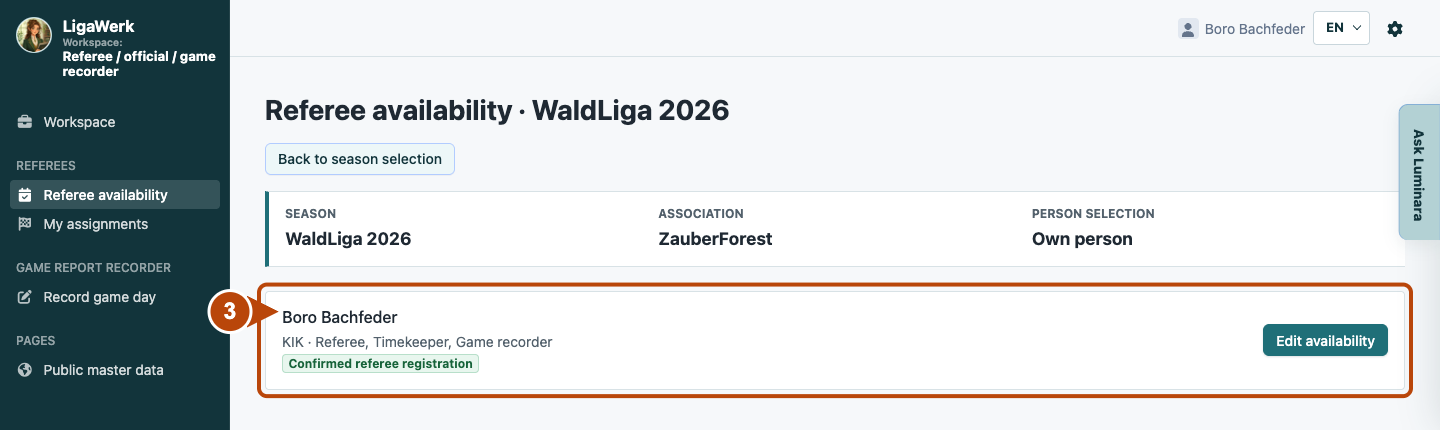
3 · Open your own availability
- What you do
- Open “Referee availability” in the navigation and select the required season. Check your person and click “Edit availability”.
- How to recognise the result
- The list of game days and venues for your own person opens.
The frame shows your person entry and its action. If your entry is missing, check your active referee/official profile with the people responsible.
Own availability → Game day and venue
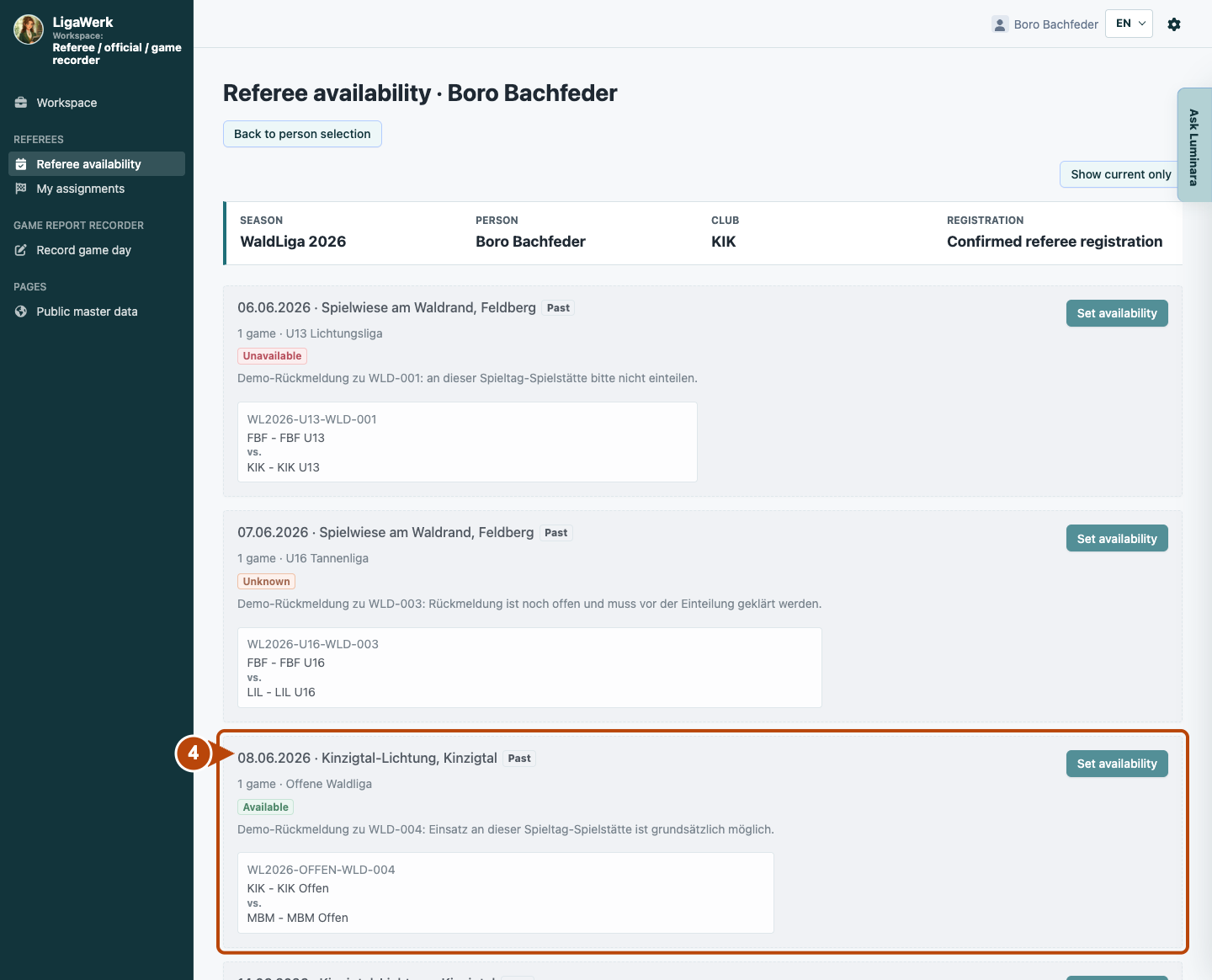
4 · Choose the game day and venue
- What you do
- Find the date and venue combination. Use “Show all” if you need a past game day. Click “Set availability” on the matching entry.
- How to recognise the result
- The form opens for precisely this person, game day and venue. The games listed there share the response.
The frame shows the same game day as the assignment example. The displayed status is an existing response, not a new save.
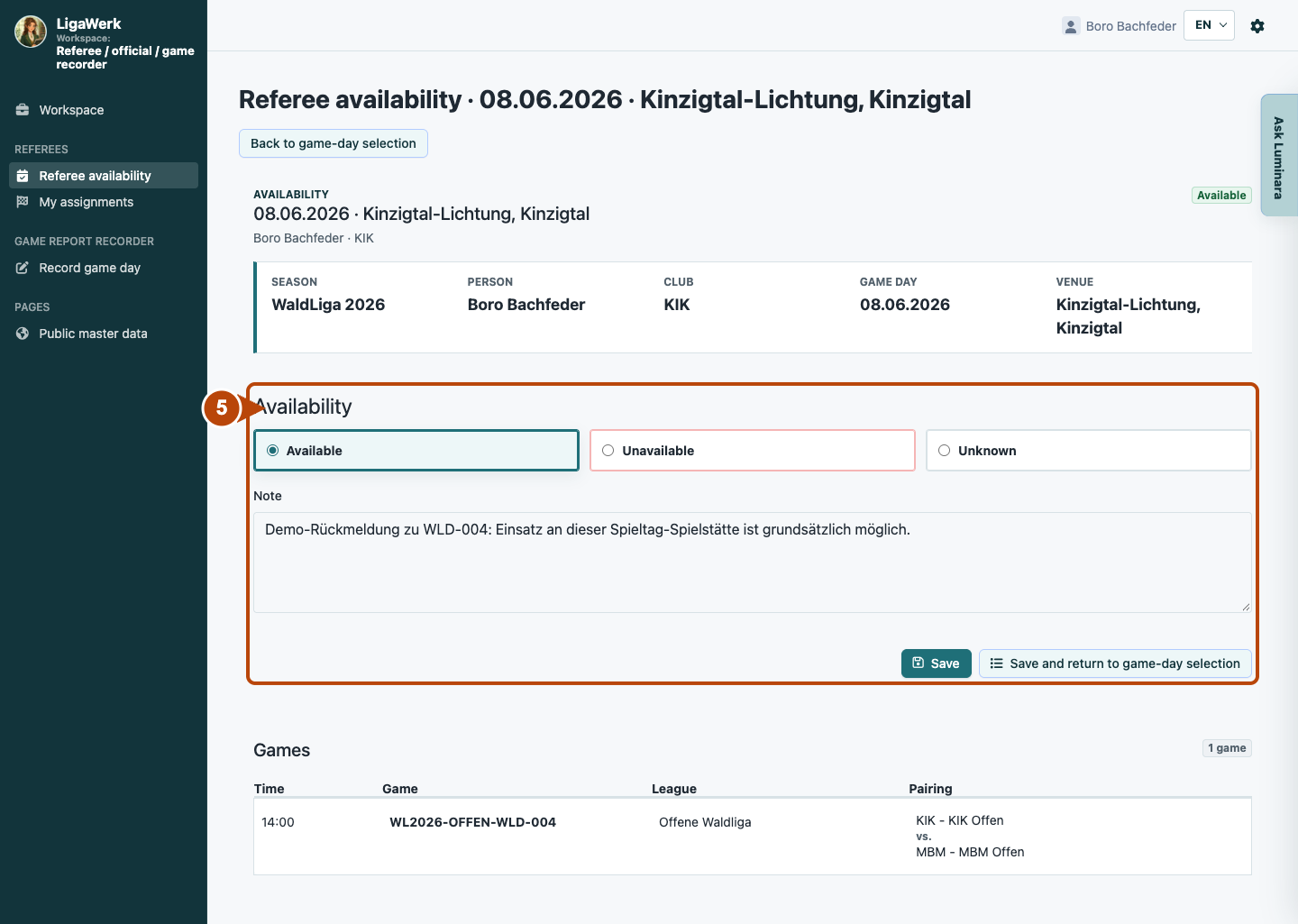
Availability form → Status and note
5 · Save your response
- What you do
- Choose “Available”, “Unavailable” or “Unknown”. Add a short “Note” if needed. Click “Save” or “Save and return to game-day selection”.
- How to recognise the result
- After saving, the response applies to the game day and venue. The second action also returns you to the list, where you can check the status.
The frame contains the selection and both save actions. The image shows the existing state; a changed selection is applied only by saving. Availability does not replace an assignment.
How to start in the demo
Referee / official · You start signed in to My assignments for the active season, with the Referee role filter. All also shows past examples. Open Referee availability through the navigation.
The demo opens a new tab, signed in to the matching workspace. This explanation stays open.