

As a club administrator
Record a game as a club administrator
You can approve recording access for your own game and spot missing team information before game day.
Your next steps
Ensure your team is prepared and an authorized person can record the report. Check access for the specific game and your team sheet’s submission status.
- 01
Find your game and team sheet
Check season, schedule, pairing and your own home or away side. Keep track of submission status for your teams.
- 02
Approve a recorder for the game
On an editable team sheet, select a suitable person from your own officials pool and click “Set game report recorder”. Then check that the person is listed with access.
- 03
Pass on missing details
Complete or hand over your team information within your permissions. For a locked sheet, clarify correction with the recorder or league management.
Club access manages own team sheets and approval for the specific game. It does not automatically grant personal report-recording rights. A recorder from your own officials pool is appointed separately; a league assignment for game day and venue is another access path.
A look inside the application
This sequence shows the actual state in your own workspace. Locked information and saved approvals are explained for reading and clarification; these images show no new saving.
The number in the screenshot matches the step. The arrow and frame show where to carry out the action.
Game submissions → Your club → Period and status
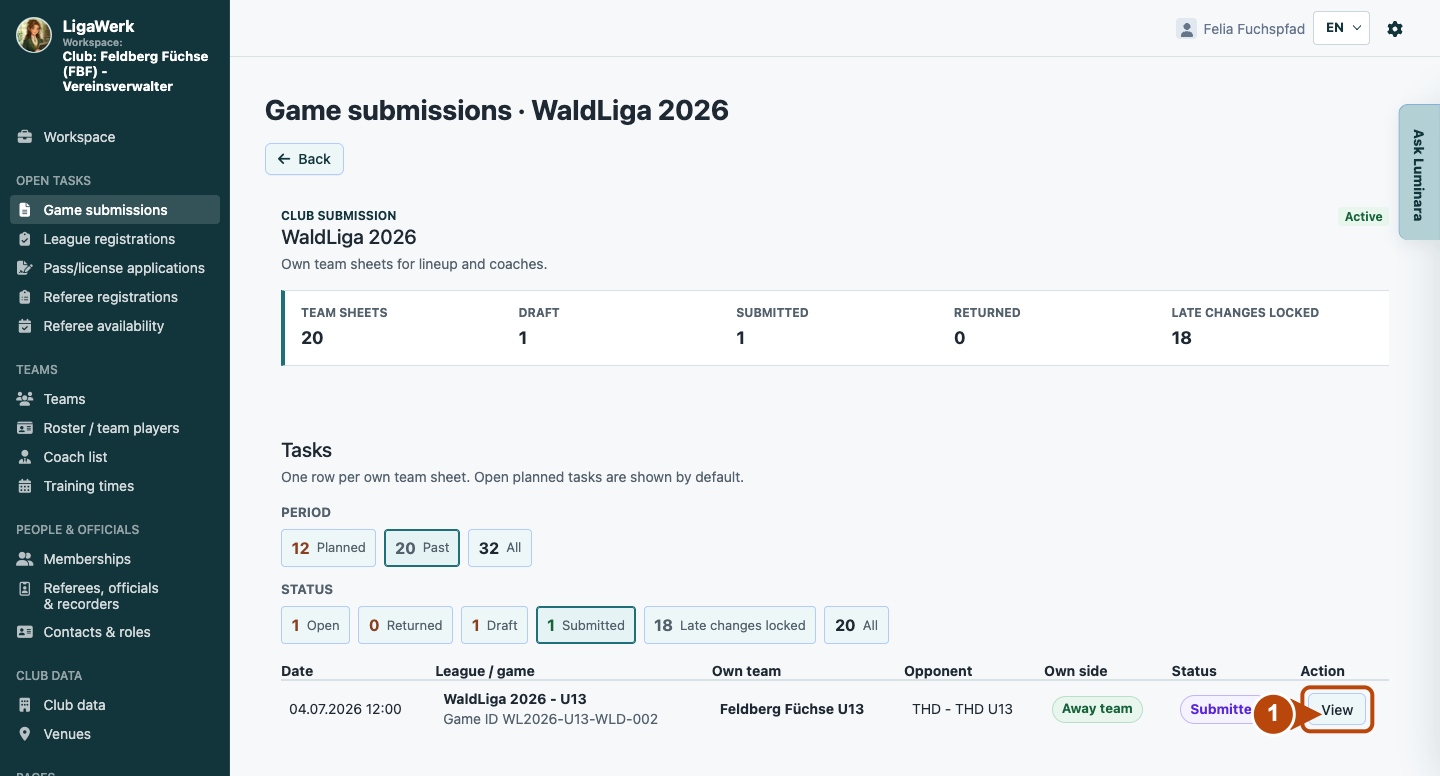
1 · Open your club’s team sheet
- What you do
- Find your game and the correct home or away side. For an already submitted sheet, select the appropriate period and “Submitted”, then open “View”.
- How to recognise the result
- Your club’s team sheet opens with game context and submission status. Other club teams remain separate team sheets.
Number one marks entry from the club workspace. Access is limited to your own teams.
Own game submission → Set game report recorder
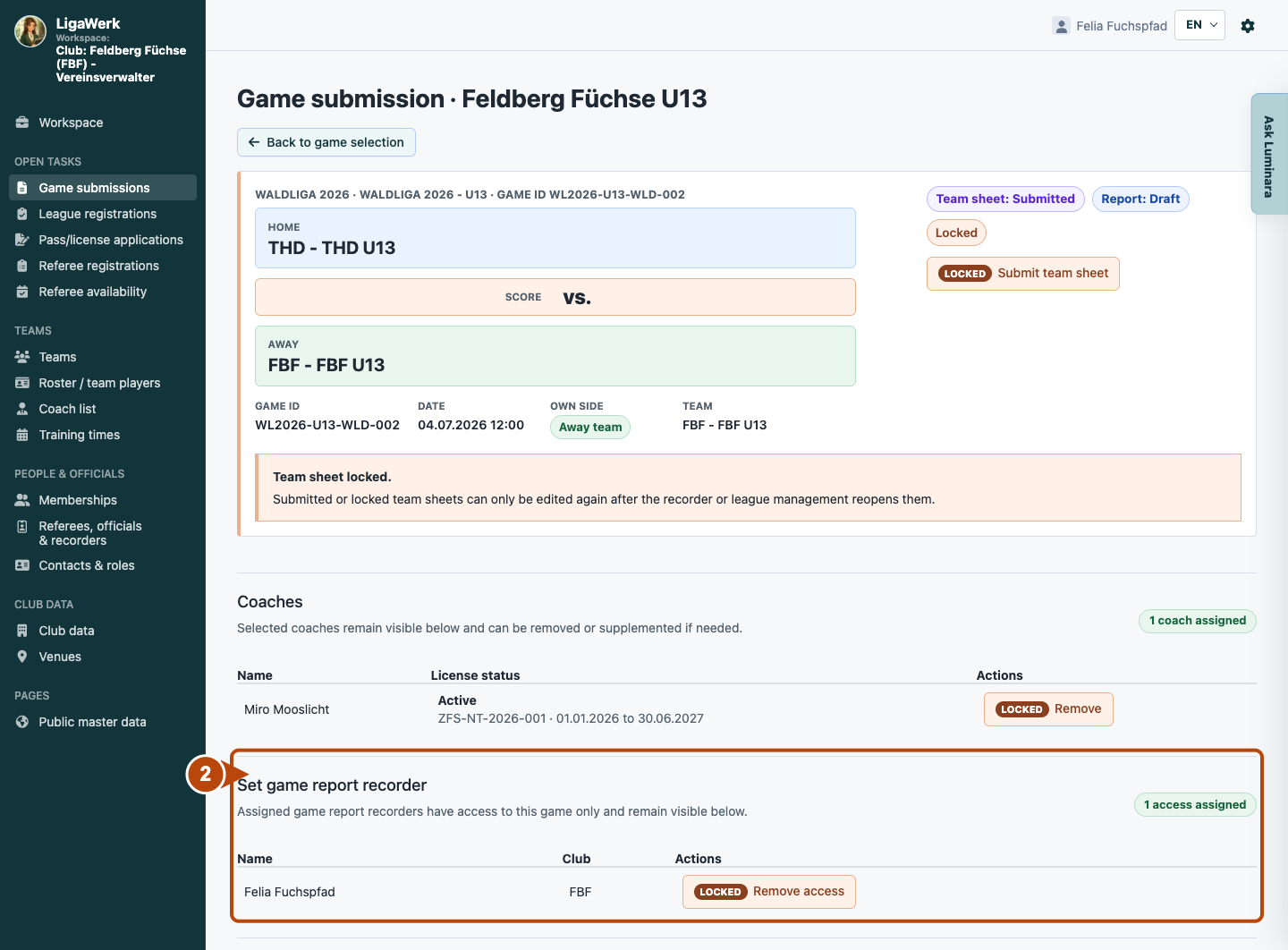
2 · Check existing recorder access
- What you do
- Check whether a recorder already has access to this game. On an editable sheet, select a suitable person from your own officials pool and save “Set game report recorder”. For the locked sheet shown here, clarify changes with the recorder or league management first.
- How to recognise the result
- The image shows existing access to exactly this game. It shows no new selection, saving or permission grant; removal is locked too.
Number two frames the full recorder section. The saved access list is visible; club responsibility and personal recording access are separate permissions.
How to start in the demo
Club administrator · You start directly in your club’s game submissions with the active season selected. Open your own team sheet to check its details and recorder access.
The demo opens a new tab, signed in to the matching workspace. This explanation stays open.