

Prepare a game · Choose another role
As an official
Prepare a game as an official
You know which game needs you and which duty has been assigned to you.
Your next steps
As a timekeeper, penalty bench official, tournament director or game-day helper, open “My assignments” and check the season and period. Check the venue, date and specific assigned function.
- 01
Find your assignments
Open My assignments and check the season and time range. The list contains your own assignments, not the entire schedule.
- 02
Identify your function
Select Timekeeper for timekeeping or Officials for penalty bench, tournament management and game-day support. The specific duty is shown in the game row under Own role.
- 03
Prepare for your duty
Read the game day, venue, time and matchup. Clarify missing organisational details with the assignment team or club. Game report recording requires a separate permission.
The assignment overview is read-only. Timekeeping, penalty bench, tournament management and game-day support are different functions. An official assignment grants neither referee review rights nor automatic access to game report recording.
A look inside the application
This separate image sequence shows an actual assigned timekeeper duty in the shared referee/official workspace. Find other official functions through the Official role filter. The past example is shown with All; the images do not change an assignment or save data.
The number in the screenshot matches the step. The arrow and frame show where to carry out the action.
Referee / Official / Recorder → My assignments
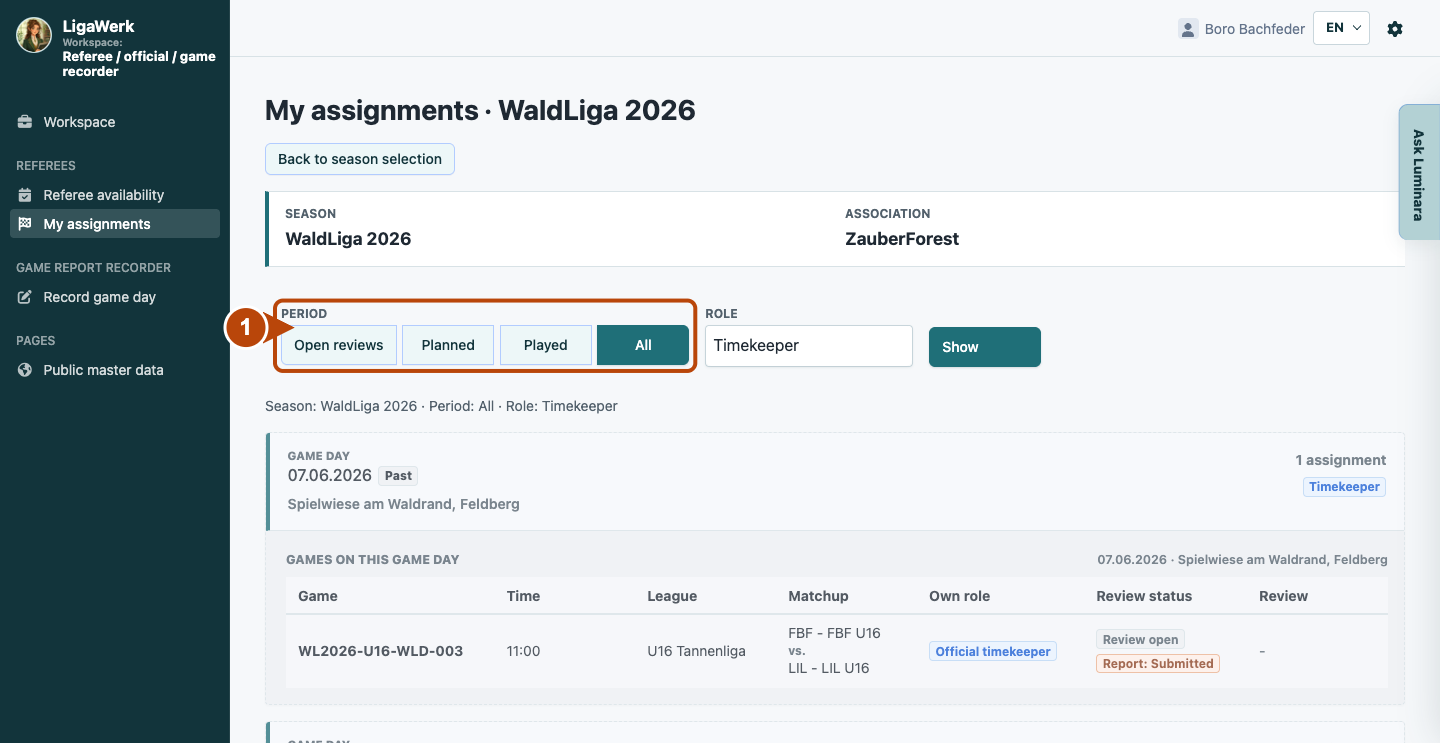
1 · Choose the time range
- What you do
- Check the season. Click “Planned” to see upcoming assignments, or “All” when looking for past assignments too.
- How to recognise the result
- The summary names the selected time range. The list shows your matching assignments with date and venue.
The frame shows the time-range filter. The example is visible under All and explicitly marked Past.
My assignments → Role
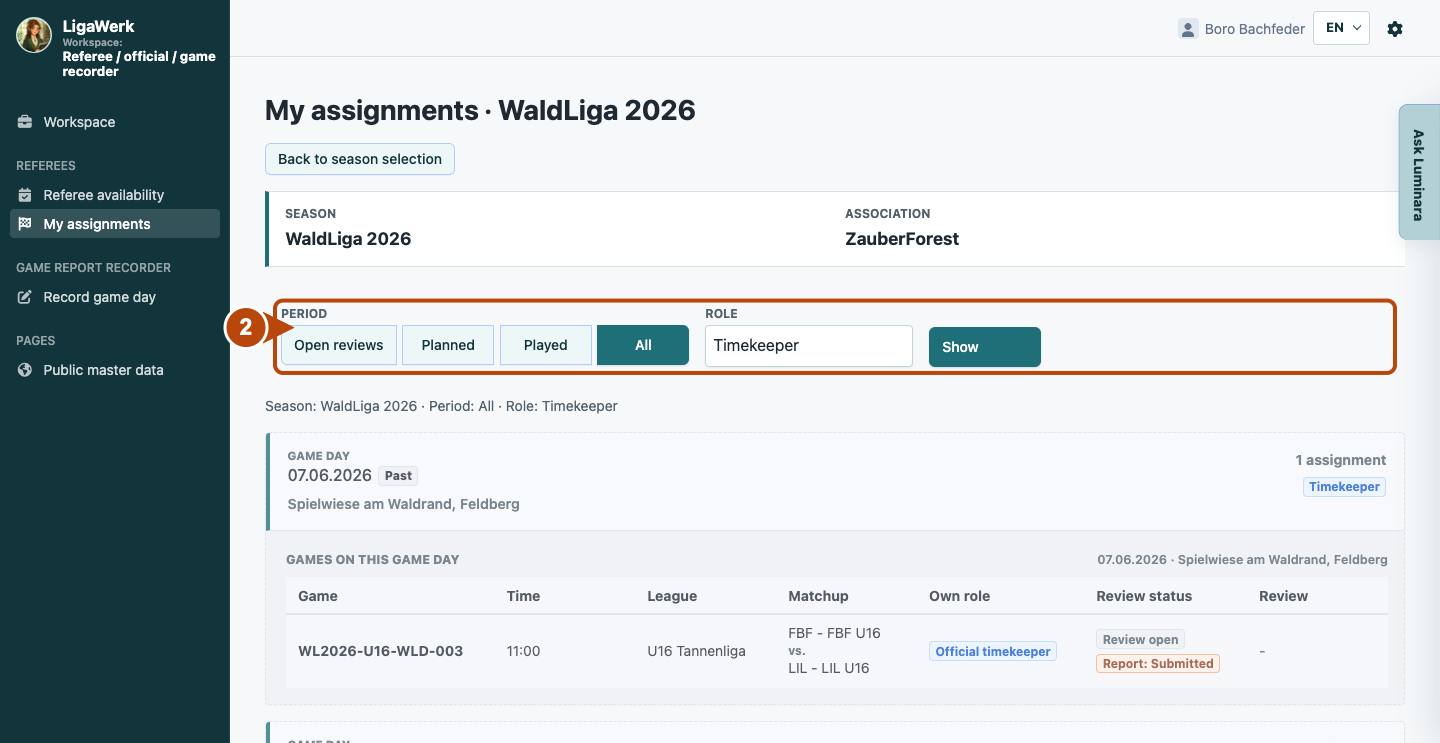
2 · Filter your own function
- What you do
- Select “Timekeeper” for timekeeping or “Official” for penalty bench, tournament management and game-day support. Then click “Show”.
- How to recognise the result
- The selected role is displayed below the filters; the list is limited accordingly. The shown timekeeper assignment remains visible.
The frame shows role selection and Show. If the list is empty, check the time range and role, or clarify whether you have been assigned yet.
My assignments → Games on this game day → Own role
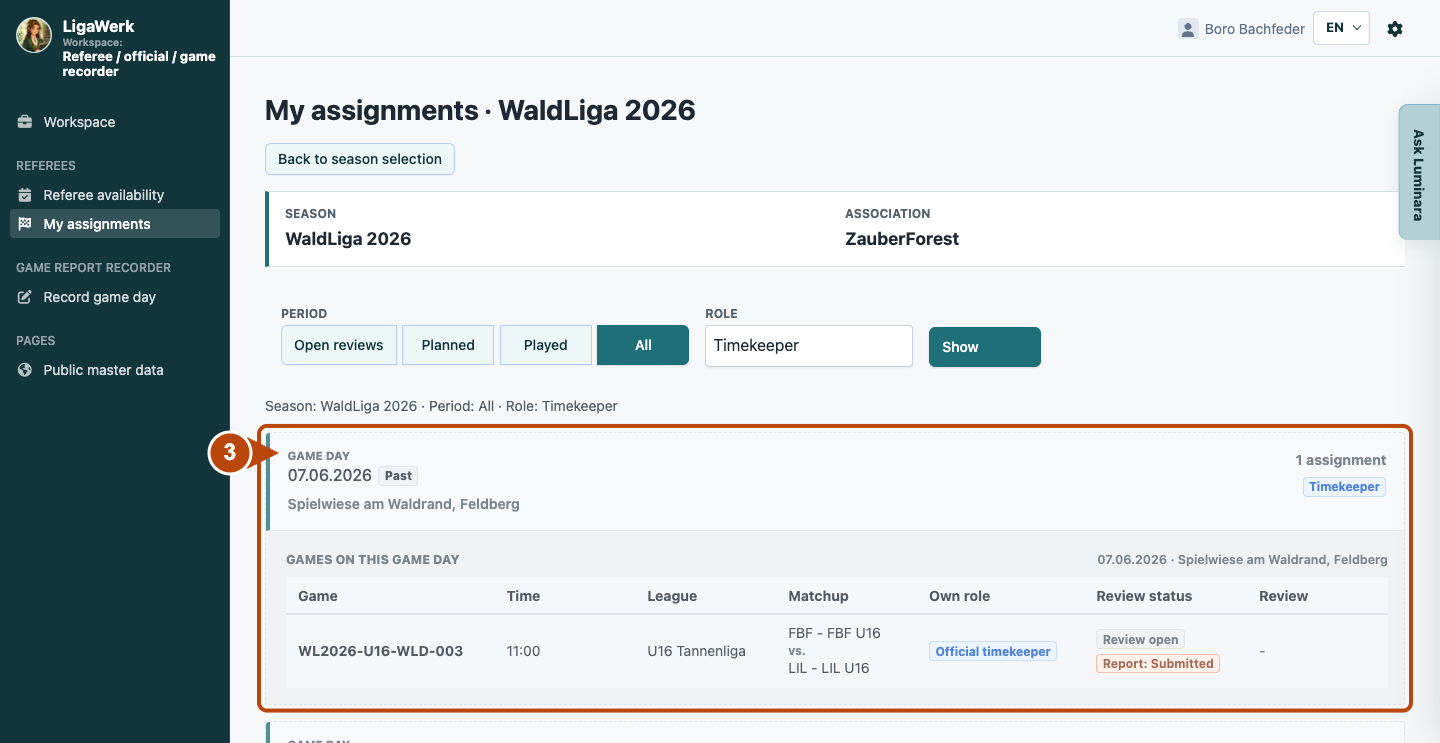
3 · Read the specific duty
- What you do
- Read the game day, venue, time and matchup. Check the exact function under “Own role”. Clarify open questions about the duty with the assignment team or club.
- How to recognise the result
- You can identify your specific assignment and duty. This game row shows timekeeping; it does not grant referee review rights.
The frame includes the day and game row. Review and report statuses describe the game report. Without the appropriate referee role, no review action appears here; recorder access is granted separately.
How to start in the demo
Referee / official · You start signed in to My assignments for the active season. The example account has several functions. Select Timekeeper to see its timekeeping assignments; All also shows past examples.
The demo opens a new tab, signed in to the matching workspace. This explanation stays open.