

As league management
Record a game as league management
You recognize missing recording access and outstanding reports. Club approvals, league assignments and later review remain clearly separated.
Your next steps
Clarify recorder responsibility and monitor report progress. Add a league assignment for the game day and venue when needed and oversee the handover for review.
- 01
Find recording progress
Check season, league and game. Report status shows whether recording is open, a report is submitted or corrections are needed.
- 02
Clarify access and responsibility
Check club approvals and additional league assignments in the report. If a suitable person is missing, deliberately assign the recorder for the displayed game day and venue.
- 03
Oversee the handover
Clarify missing information and ask the participants to complete it when necessary. Review follows submission; this explanation replaces neither referee feedback nor final result approval.
A league assignment applies to the game-day and venue combination, not just one game. A referee or timekeeper slot alone grants no such access. With appropriate league permissions you can record yourself; recording, submission and final league approval remain separate actions.
A look inside the application
This sequence shows the actual state in your own workspace. Locked information and saved approvals are explained for reading and clarification; these images show no new saving.
The number in the screenshot matches the step. The arrow and frame show where to carry out the action.
Game report workflow → Selected season → Game report inbox
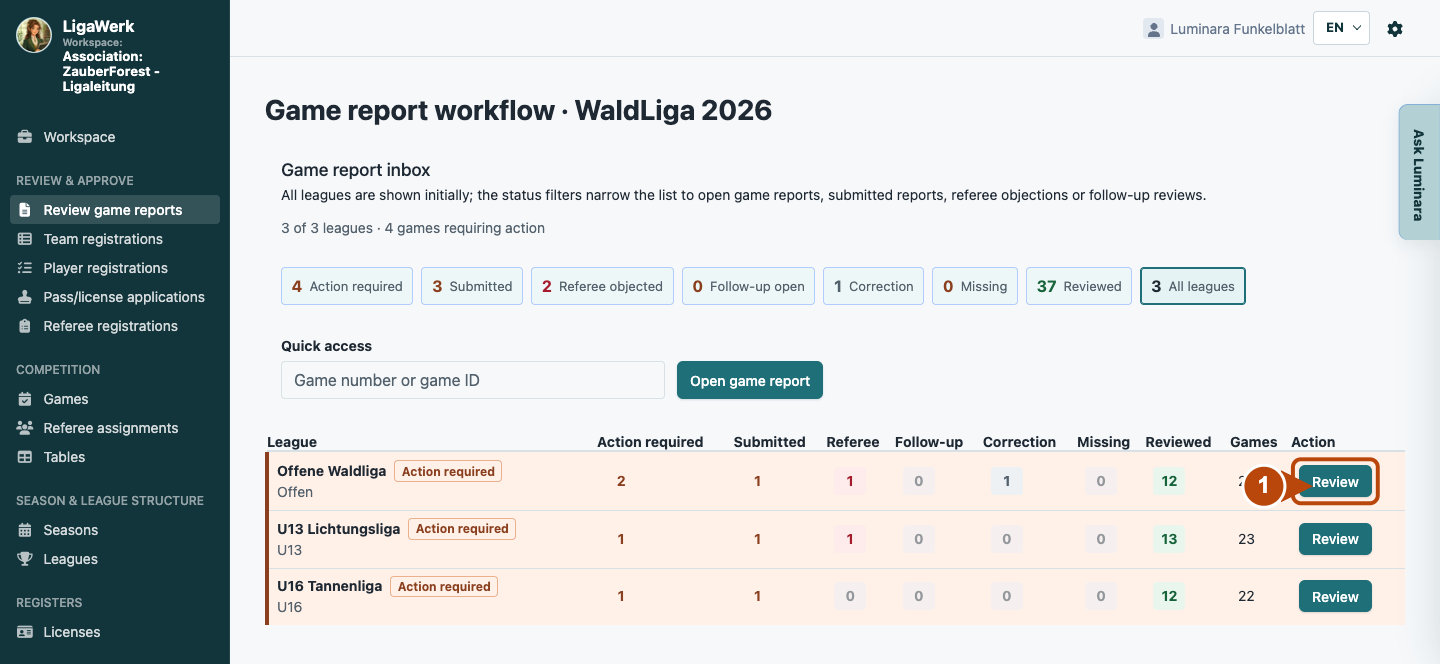
1 · Overview the season and leagues
- What you do
- Check the season and report progress across leagues. Open the required league with “Review”. Use status filters that match your task.
- How to recognise the result
- Reports and games for the selected league open. The season overview shows different handover stages, not blanket result approval.
Number one marks league selection. Submitted, objected and reviewed are distinct states.
Game report workflow → League → Games
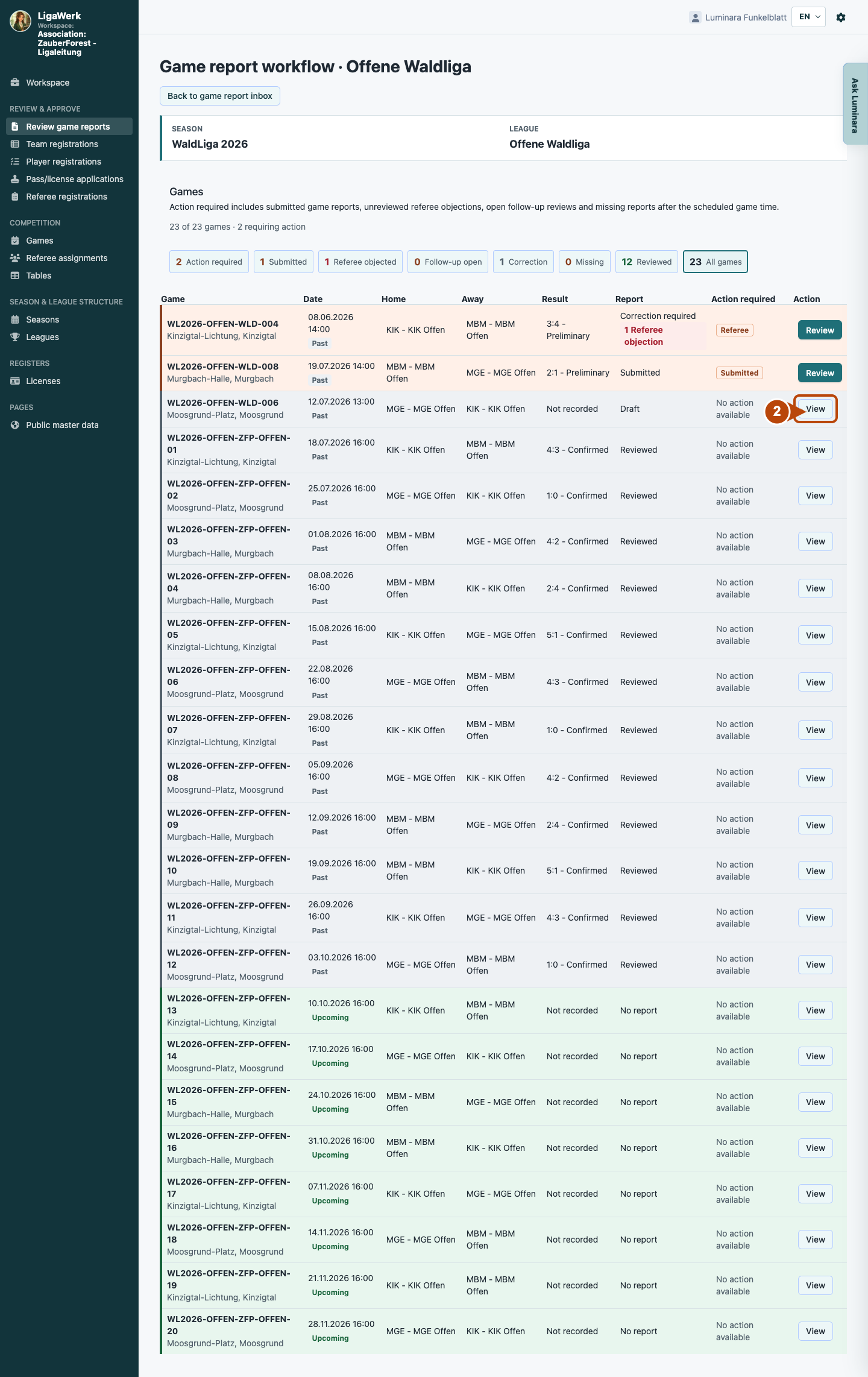
2 · Find the specific report and its progress
- What you do
- Find the game by date and teams. Check report status and open the existing report using its offered action. Set the filter to All if needed.
- How to recognise the result
- The shared report opens with game header, role sections and actual recording status.
Number two marks the example report entry. A draft is not submitted and has no final approval.
Game report workflow → Game-day organization → Game report recorders
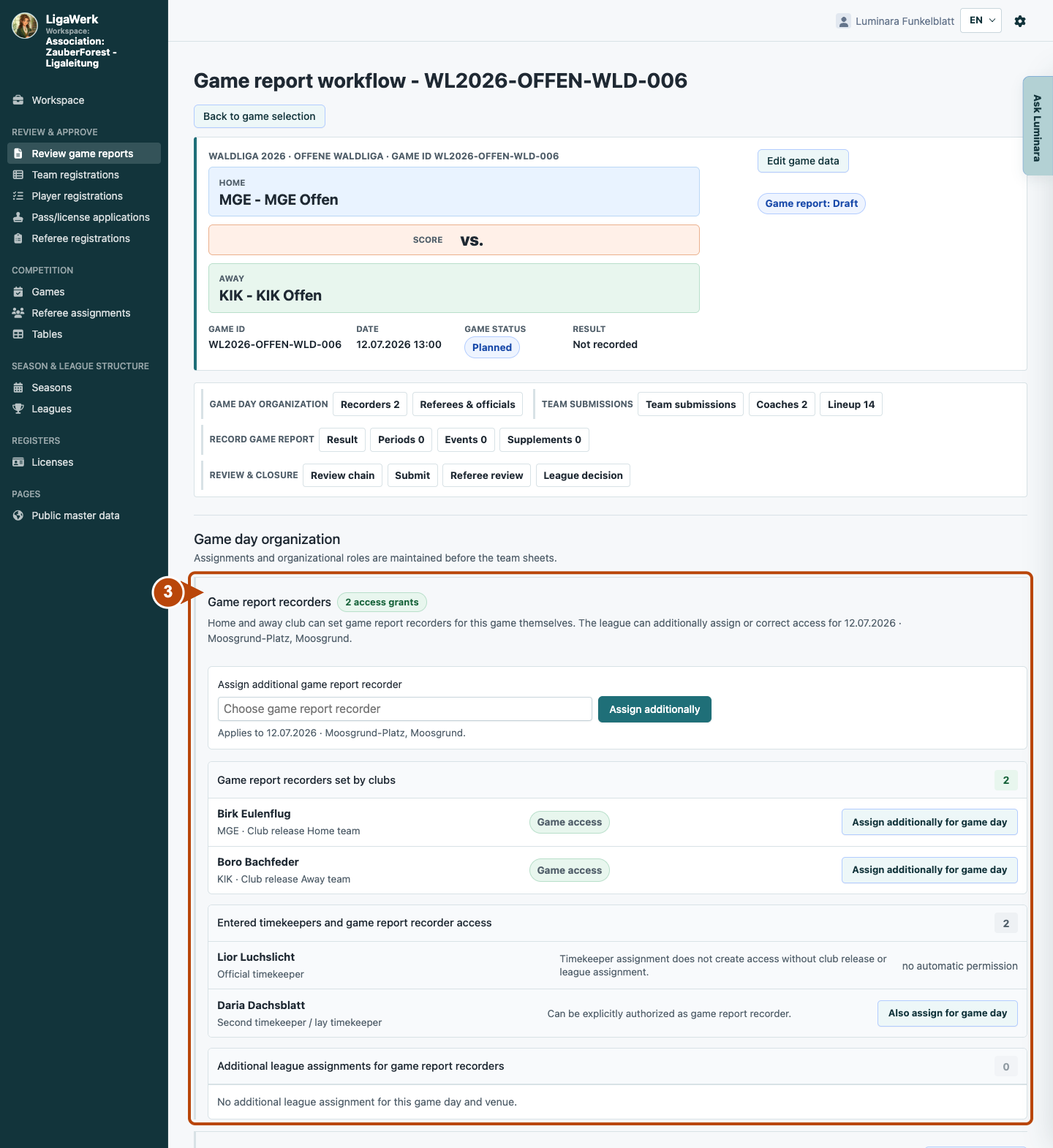
3 · Check recording access and responsibility
- What you do
- Compare club approvals, assigned timekeepers and additional league assignments. Clarify missing access for the correct game or game-day/venue combination. Then check recording and submission progress.
- How to recognise the result
- The section separates existing approved game access from a timekeeper assignment alone. The image shows the current state, not a new league assignment.
Number three covers the complete recorder section including the additional league assignment. A timekeeper assignment explicitly grants no automatic recording access here.
How to start in the demo
League management · You start in game report workflow for the active season in the association workspace. Open the relevant league and game.
The demo opens a new tab, signed in to the matching workspace. This explanation stays open.