

As a coach
Record a game as a coach
Your team is correctly represented in the shared report. You know whom to contact about missing or incorrect information.
Your next steps
Help the game recorder with accurate team and coach details. Clarify discrepancies on site and recognize when your team sheet has already been handed over.
- 01
Check your team information
Confirm the players actually taking part and the coaches present. With team responsibility, open your own submission; without that permission, supply the information to the team or club representatives.
- 02
Clarify discrepancies on site
Tell the game recorder about changes or errors. A submitted team sheet is locked for you; selection fields do not replace a necessary return or reopening.
- 03
Distinguish recording from review
Submitting your team sheet hands over team data. The game recorder combines both sides and the game events. Referee review and the final league decision follow separately.
A coach profile alone grants no recording or administration rights. With team responsibility, you only edit your own team sheet while it is open. The approved game recorder enters results, periods and events; a locked team sheet must be returned for correction.
A look inside the application
This sequence shows the actual state in your own workspace. Locked information and saved approvals are explained for reading and clarification; these images show no new saving.
The number in the screenshot matches the step. The arrow and frame show where to carry out the action.
Game submissions → Your team → Period and status
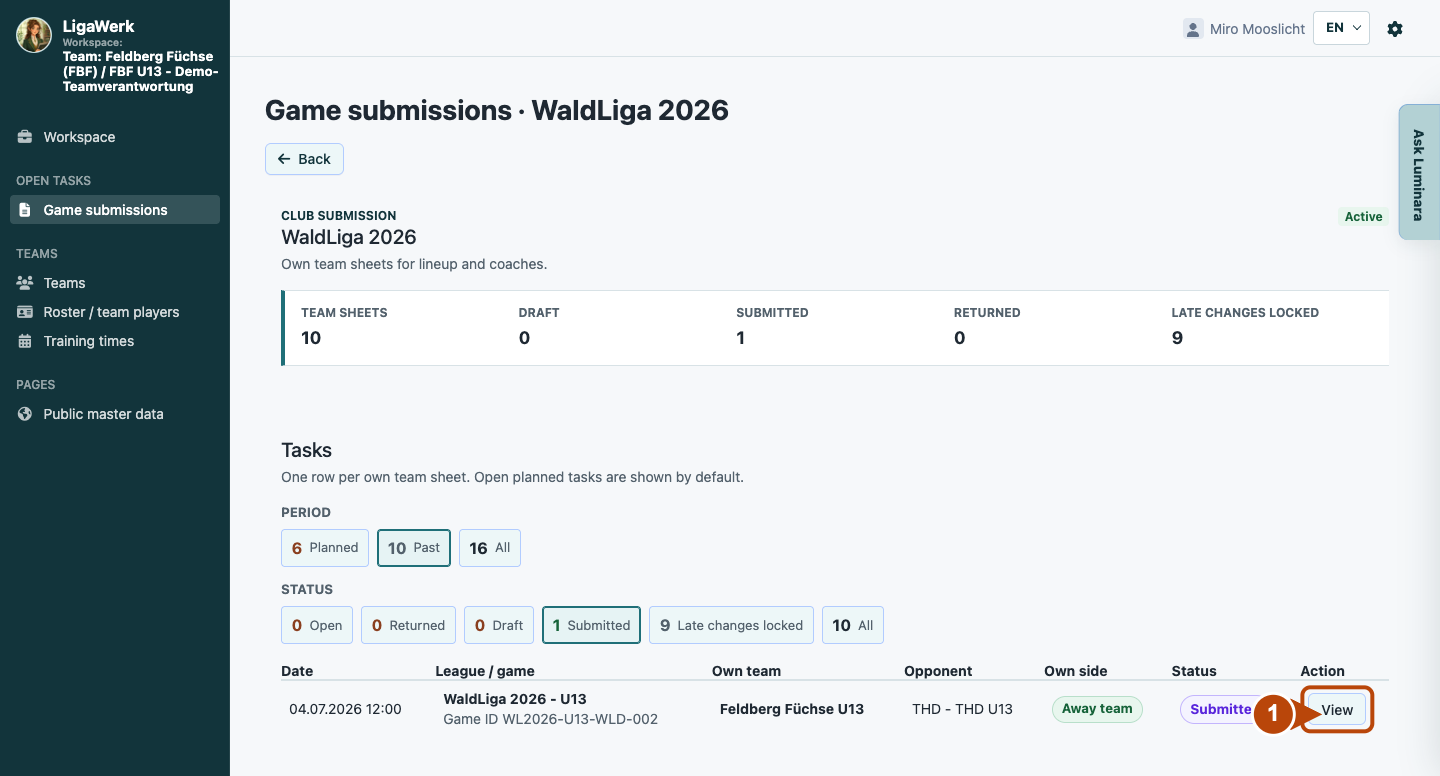
1 · Open your submitted team sheet
- What you do
- Find the game by date, league and opponent. If a submitted sheet is absent from the open list, select the appropriate period and “Submitted”. Open “View”.
- How to recognise the result
- Your team sheet opens with the game header and actual submission status.
Number one marks View in the team workspace. This list concerns your own team, not both sides of the report.
Own game submission → Game header and lock notice
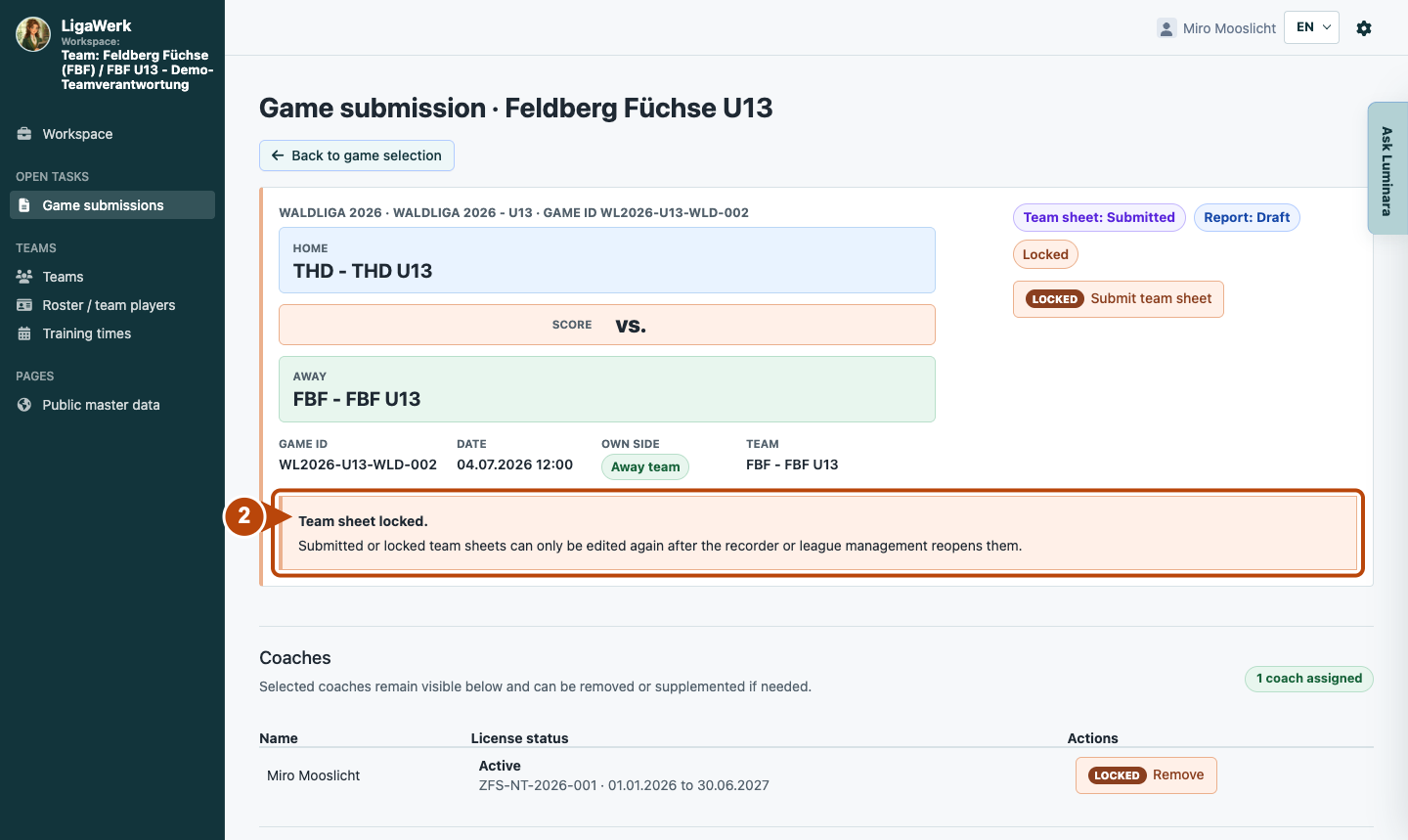
2 · Recognize submission and the editing lock
- What you do
- Check “Own side”, “Team sheet” and “Report”. For a submitted team sheet, report necessary changes to the game recorder or league management and clarify reopening first.
- How to recognise the result
- The shown team sheet is submitted and locked, while the shared report is still a draft. Team submission and report submission are different handovers.
Number two marks the actual lock notice. It explains why fields cannot be used; the image does not show reopening.
Own game submission → Team lineup
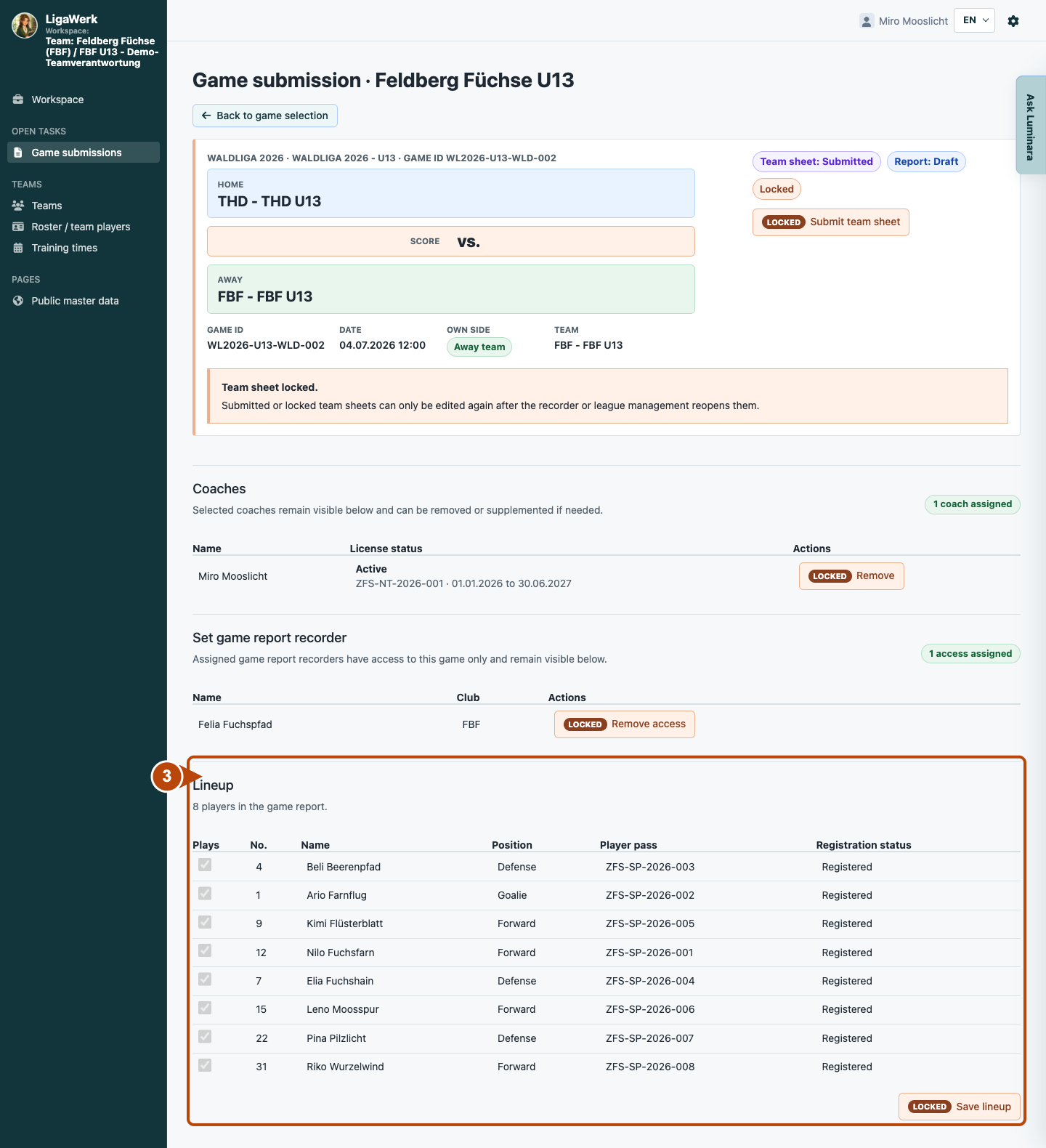
3 · Compare the submitted lineup
- What you do
- Compare the displayed players and coaches with the actual game-day information. Report discrepancies to the responsible recorder instead of treating locked fields as editable.
- How to recognise the result
- You can read the information already handed over for your team. Correction requires the authorized person or reopening.
Number three frames the existing lineup, disabled selectors and locked save button. It shows reading and clarification, not saving.
How to start in the demo
Team / Coach · The demo opens game submissions with team responsibility for your own team. Open the relevant game and check your own team sheet.
The demo opens a new tab, signed in to the matching workspace. This explanation stays open.