

All roles in reviewing results
As referee
Review and approve results as referee
Review the report for your own assignment and record confirmation or an objection with a comment. League leadership can then make an informed decision.
Your next steps
Review the report for your own assignment and record confirmation or an objection with a comment. League leadership can then make an informed decision.
- 01
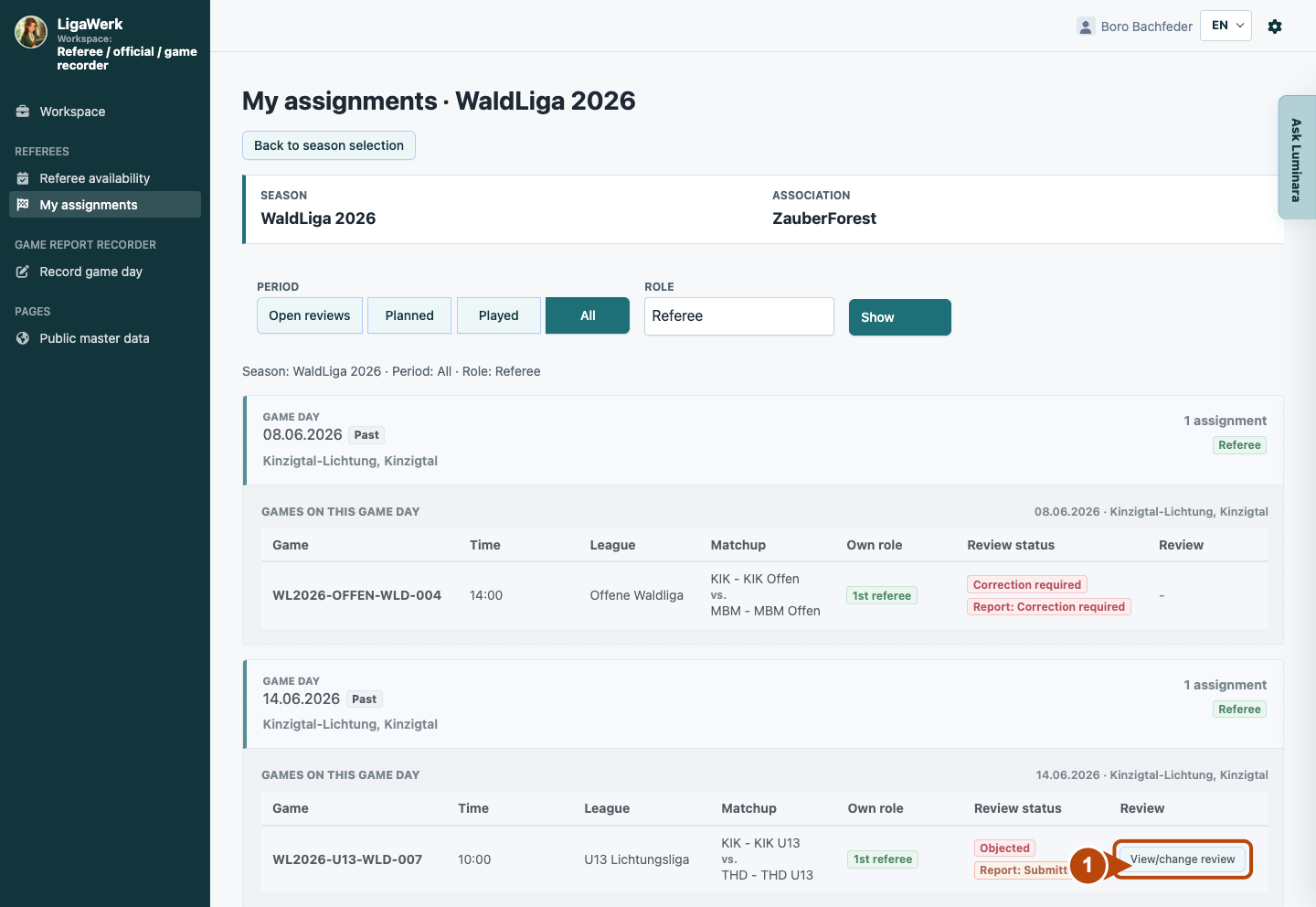
Open your own reviewable assignment
Choose the current season and referee filter. Open “Review game report” or “View/change review” for your own reviewable assignment.
- 02
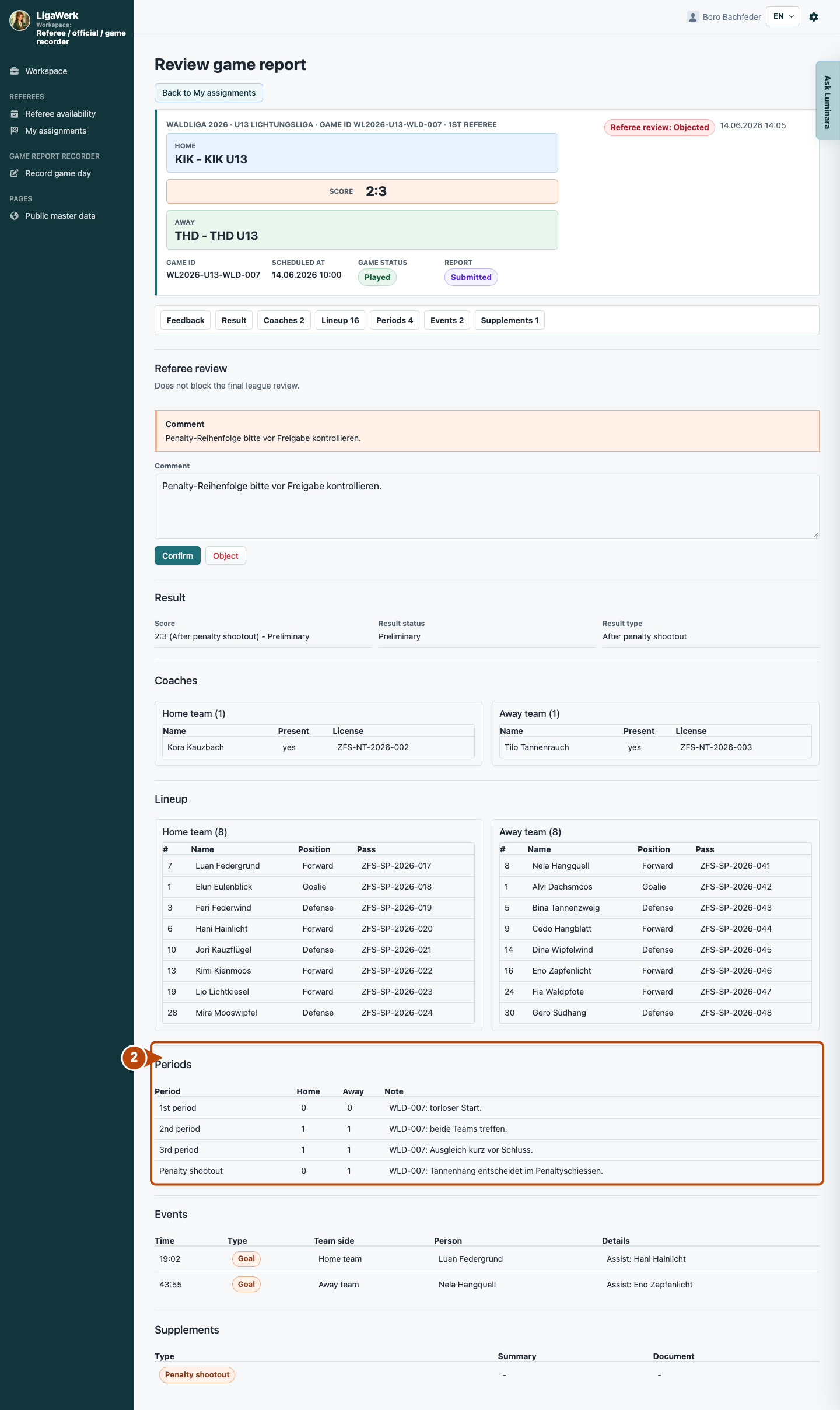
Check the report against the game
Compare the result, periods, events and supplements with the confirmed game events. Identify any discrepancy precisely.
- 03
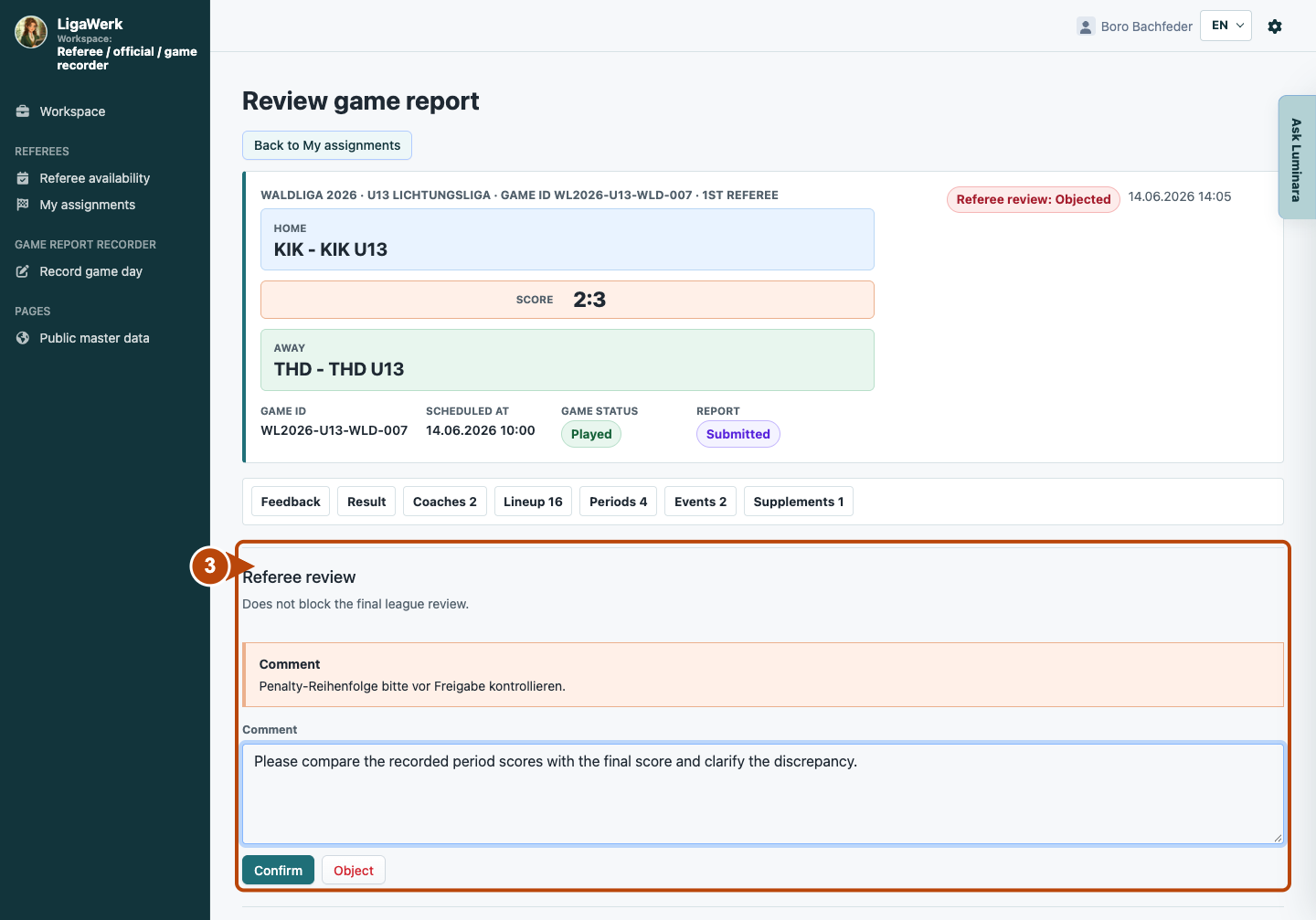
Confirm or object with a comment
Click “Confirm” if the report is correct from your perspective. “Object” requires a comment explaining the discrepancy. The image shows a completed comment without saving again.
Referee feedback is not the final league decision. Objecting does not automatically return the report for correction. League leadership must explicitly request any correction.
A look inside the application
The images show real local application states. The correction chain uses the same report; other roles show their own authorised games. Feedback, correction requests and approval are separate actions.
The number in the screenshot matches the step. The arrow and frame show where to carry out the action.
My assignments → Referee
1 · Open your own reviewable assignment
- What you do
- Choose the current season and referee filter. Open “Review game report” or “View/change review” for your own reviewable assignment.
- How to recognise the result
- You reach the report for your specific referee assignment.
Number 1 highlights the section described in this step. The visible game details are a synthetic example.
Referee review → Report data
2 · Check the report against the game
- What you do
- Compare the result, periods, events and supplements with the confirmed game events. Identify any discrepancy precisely.
- How to recognise the result
- Your feedback can refer to a clearly identifiable report detail.
Number 2 highlights the section described in this step. The visible game details are a synthetic example.
Referee review → Your feedback
3 · Confirm or object with a comment
- What you do
- Click “Confirm” if the report is correct from your perspective. “Object” requires a comment explaining the discrepancy. The image shows a completed comment without saving again.
- How to recognise the result
- Saved feedback is visible to the league. It does not automatically return the report or replace the league decision.
Number 3 highlights the section described in this step. The visible game details are a synthetic example.
How to start in the demo
Referee / official · Your signed-in demo starts in your own authorised workspace with the current active season. Choose a relevant game; recording and league review use different permissions.
The demo opens a new tab, signed in to the matching workspace. This explanation stays open.